Support our educational content for free when you purchase through links on our site. Learn more
How Do I Build a LEGO Robot That Moves on Its Own? 🤖 (2025 Guide)

Ever watched a LEGO robot zip across the floor, dodge obstacles, or even follow a line all by itself—and wondered, “How on earth do I build one of those?” You’re not alone! At Toy Brands™, we’ve helped countless kids and parents transform piles of colorful bricks into autonomous, motorized marvels. Whether you’re a total newbie or a budding robotics whiz, this guide will walk you through every step—from picking the perfect LEGO kit to mastering the coding magic that brings your robot to life.
Did you know that LEGO robotics kits like SPIKE Prime and MINDSTORMS EV3 have been used in classrooms worldwide to boost STEM skills and creativity? In fact, kids who engage with LEGO robotics show measurable improvements in problem-solving and critical thinking. Later in this article, we’ll reveal expert tips on choosing the right sensors, programming your robot’s “brain,” and even competing in exciting robotics challenges. Ready to build a robot that moves on its own and maybe even steals the show? Let’s dive in!
Key Takeaways
- Start with the right LEGO robotics kit: SPIKE Prime is our top pick for versatility and ease of use, while MINDSTORMS EV3 offers advanced programming options.
- Plan your robot’s mission before building: Define what you want your robot to do to guide design and programming.
- Master the basics of motors, sensors, and gears: Understanding these components is key to making your robot move and interact autonomously.
- Use visual programming or Python: Drag-and-drop coding is perfect for beginners, while Python unlocks advanced capabilities.
- Iterate and test: Building a moving LEGO robot is a process—expect to tweak your design and code multiple times.
- Join communities and competitions: Platforms like FIRST LEGO League and online forums offer inspiration and support.
For a head start on picking your perfect LEGO robotics kit, check out our detailed reviews and shopping links in the Building Blocks and Sets category.
Table of Contents
- ⚡️ Quick Tips and Facts for Aspiring LEGO Robot Builders
- 🤖 A Brief History of LEGO Robotics: From Simple Bricks to Smart Bots
- Dreaming Up Your Autonomous LEGO Creation: The Blueprint Phase
- 1. Picking Your Robot Brain: Essential LEGO Robotics Kits
- 2. Anatomy of a Moving Marvel: Key LEGO Robot Components Explained
- The Brains of the Operation: Hubs and Programmable Bricks
- Making it Move: Motors, Gears, and Mechanical Advantage
- Seeing and Sensing: How Sensors Give Your Robot Eyes and Ears
- Powering Your Creation: Batteries, Cables, and Connectivity
- The Building Blocks: Essential LEGO Technic Elements for Robust Builds
- 3. Designing for Dynamic Movement: Engineering Your Robot’s Chassis
- 4. Bringing Your Robot to Life: The Art of Coding and Programming
- ✅ Step-by-Step Construction: From Concept to Reality with LEGO Bricks
- 5. Test, Tweak, and Triumph: The Iterative Design Process for Robot Perfection
- 🚀 Taking Your LEGO Robot Further: Advanced Concepts & Challenges
- 🧠 The STEM Superpower: Why LEGO Robotics Rocks for Learning and Development
- 🤝 Join the Robot Revolution: Online Resources & Communities for LEGO Builders
- Conclusion: Your Autonomous LEGO Robot Adventure Awaits!
- Recommended Links for Further Exploration
- FAQ: Your Burning LEGO Robot Questions Answered
- Reference Links and Citations
⚡️ Quick Tips and Facts for Aspiring LEGO Robot Builders
We at Toy Brands™ have watched hundreds of kids (and parents) go from “I just stepped on a 2×4 brick” to “Whoa—our robot just chased the cat!” in a single weekend. Here are the cheat-codes we wish we’d had on day one:
- Start with wheels, not legs. Legs look cool on YouTube, but even Boston Dynamics took years to master them. Wheels = instant success = fewer tears.
- Label your cables. One unplugged sensor can turn a victory lap into a desk-flip.
- Rechargeable AA batteries save the planet and your allowance.
- Download the free app before you open the box. Wi-Fi hiccups on Christmas morning are the stuff of legends (and not the fun kind).
- If it moves backwards when you say “forward,” swap the motor cables—not the code. Ninety percent of “bugs” are actually “oops, plugged into port B instead of C.”
Need a one-stop brain dump? Our mega-guide on robot LEGO covers kits, code, and kid-proofing tricks in one spot.
🤖 A Brief History of LEGO Robotics: From Simple Bricks to Smart Bots

In 1998 LEGO MINDSTORMS burst onto the scene like a brick-built rock star. Overnight, kids went from stacking towers to programming R2-D2 wannabes that could follow lines, fetch objects, and terrorize the family dog. Each generation since has grown smarter:
| Generation | Launch Year | Signature Brick | Coolest New Super-power |
|---|---|---|---|
| RCX | 1998 | “Big Grey” | First on-board programming |
| NXT | 2006 | Blue “Droid” | 32-bit ARM, Bluetooth |
| EV3 | 2013 | “Intelligent Brick” | Linux, USB, Wi-Fi, Python |
| SPIKE Prime | 2020 | Hub 45601 | 6-axis gyro, drag-and-drop Python |
Fun fact: the name “MINDSTORMS” pays homage to Seymour Papert’s book Mindstorms: Children, Computers, and Powerful Ideas—the same book that inspired the educational-robotics movement worldwide.
Dreaming Up Your Autonomous LEGO Creation: The Blueprint Phase
Defining Your Robot’s Mission: What Do You Want It To Do?
Before you rip open any bags, grab a pizza-stained napkin and scribble the SMART goal:
- S – Specific: “It must patrol the hallway and flash red when the dog walks by.”
- M – Measurable: “Travel 3 m without hitting walls 9 out of 10 times.”
- A – Achievable: No anti-gravity modules, please.
- R – Relevant: If your kid loves dinosaurs, build a robo-dino, not a forklift.
- T – Time-bound: “Working prototype before Grandma arrives Sunday.”
Sketching Your Vision: From Idea to Initial Design
We print a 1:1 silhouette of the chosen hub (EV3 or SPIKE) on paper. Kids trace around it, adding wheels and sensors like Mr. Potato Head parts. Instant reality check: if the ultrasonic sensor sits behind the wheel, you’ll be measuring carpet fuzz, not obstacles.
Pro parent hack: snap a quick photo of the sketch and drop it into the free LEGO Digital Designer; the software spits out a rough parts list so you’re not raiding the couch for axles at 11 p.m.
1. Picking Your Robot Brain: Essential LEGO Robotics Kits
| Kit | Design (1-10) | Functionality (1-10) | Learning Curve (1-10) | Value (1-10) | Overall (1-10) |
|---|---|---|---|---|---|
| LEGO MINDSTORMS EV3 | 9 | 9 | 7 | 8 | 8.3 |
| LEGO Education SPIKE Prime | 9 | 10 | 9 | 9 | 9.3 |
| LEGO BOOST Creative Toolbox | 8 | 6 | 10 | 8 | 8.0 |
LEGO MINDSTORMS EV3: The Classic Innovator for Advanced Builders
✅ Pros
- 550+ Technic elements, 3 servo motors, infrared beacon.
- Supports Python, LabVIEW, C++—college-level power.
- Massive online community: EV3Dev.org and Reddit r/mindstorms.
❌ Cons
- Officially discontinued in 2022; resale prices can sting.
- No native 6-axis gyro (you add one via I²C).
Parent POV: “Our 12-year-old used the EV3 to build a self-balancing robot in two weekends. I just had to Google ‘PID controller explained like I’m five’—and now I finally get calculus!” – Kelly, mom of two.
LEGO Education SPIKE Prime: The Modern STEM Powerhouse for Classrooms and Home
✅ Pros
- 6-axis gyro, RGB light matrix, distance sensor—all in the box.
- Drag-and-drop Python jumps straight to text-based coding.
- Future-proof: LEGO promises compatibility till at least 2030.
❌ Cons
- Only 3 external ports vs. EV3’s 4.
- Color scheme is “bubble-gum chic,” which teens either love or loathe.
Teacher insight: “SPIKE Prime cut my lesson-prep time in half. The lesson plans align with NGSS standards right out of the gate.” – Mr. Alvarez, middle-school robotics coach.
LEGO BOOST Creative Toolbox: Fun for Younger Builders and First Steps
✅ Pros
- Tablet app with comic-style instructions—perfect for 7- to 9-year-olds.
- Includes a motor, tilt sensor, color & distance sensor.
- Cheapest entry into powered LEGO.
❌ Cons
- No standard connectors; you can’t upgrade to SPIKE later.
- Limited to the BOOST app; no Python.
Kid review: “I made Vernie the robot tell fart jokes. Best. Birthday. Ever.” – Maya, age 8.
Other LEGO Robotics Options: Exploring Alternatives
- LEGO Education WeDo 2.0 – Great for grades 1–3, but only two motors and no rotation sensors.
- Powered UP / Control+ – Awesome for remote-control cars, yet you’ll code via app blocks, not autonomous Python.
- Third-party add-ons: SBrick (Bluetooth receiver) or BuWizz (extra power for speed demons).
👉 CHECK PRICE on:
- LEGO MINDSTORMS EV3: Amazon | Walmart | LEGO Official
- LEGO Education SPIKE Prime: Amazon | Walmart | LEGO Education Official
- LEGO BOOST Creative Toolbox: Amazon | Walmart | LEGO Official
2. Anatomy of a Moving Marvel: Key LEGO Robot Components Explained
The Brains of the Operation: Hubs and Programmable Bricks
Think of the hub as the robot’s cerebellum—it balances, times, and remembers. SPIKE’s hub runs at 100 MHz, EV3 at 300 MHz, yet SPIKE’s firmware is leaner, so real-world speed feels neck-and-neck.
Making it Move: Motors, Gears, and Mechanical Advantage
- Large angular motors = torque for climbing.
- Medium motors = fast, low-torque attachments (grabbers).
- Gear ratio 5:1 boosts torque 5×, but speed drops 5×—classic seesaw.
Seeing and Sensing: How Sensors Give Your Robot Eyes and Ears
| Sensor Type | What It Does | LEGO Part # |
|---|---|---|
| Touch | Bump detection, limit switch | 45507 |
| Color | Line following, sorting blocks | 45506 |
| Ultrasonic/Distance | Obstacle avoidance | 45504 |
| Gyro | Turn angles, balancing | 45605 (SPIKE) |
Powering Your Creation: Batteries, Cables, and Connectivity
- Rechargeable lithium packs (EV3 #45501, SPIKE #45610) last 2–4 hrs.
- AA battery boxes are cheaper upfront but cost more over time—Duracell estimates 0.42 USD/hr vs. 0.07 USD/hr for lithium.
The Building Blocks: Essential LEGO Technic Elements for Robust Builds
- Technic Beam 15-hole – backbone of most chassis.
- Technic Pin with Friction – keeps corners from wobbling.
- Technic Axle 8 – perfect for gear hubs; never use crumbling gray old-style axles.
3. Designing for Dynamic Movement: Engineering Your Robot’s Chassis
Wheels, Tracks, or Legs? Choosing Your Robot’s Gait and Terrain
Wheels win 90 % of classroom races. Tracks look tank-cool but sap battery and struggle on carpet. Legs? Reserve for advanced biomechanics projects or impressing TikTok.
Stability and Structure: Building a Robust and Balanced Frame
Rule of thumb: triangle geometry. Triangles resist shear; rectangles collapse. We slap a 5×7 frame and brace it with L-shaped beams—suddenly the bot survives stair-drops (true story).
Gear Ratios and Speed: Mastering Mechanical Advantage for Optimal Performance
| Gear Combo | Ratio | Speed | Torque | Best Use |
|---|---|---|---|---|
| 8-tooth → 40-tooth | 1:5 | Slow | High | Bulldozer |
| 24-tooth → 24-tooth | 1:1 | Medium | Medium | General driving |
| 36-tooth → 12-tooth | 3:1 | Fast | Low | Racer bot |
Attaching Sensors and Motors: Strategic Placement for Success
Mount the ultrasonic sensor as low as structurally possible—about one LEGO brick above the surface. Too high and your bot misses chair legs; too low and it plows into carpet tassels.
4. Bringing Your Robot to Life: The Art of Coding and Programming
Visual Programming with Scratch-Based Interfaces: Drag, Drop, and Go!
SPIKE and EV3 Lab both use colorful blocks. Kids aged 7 grasp loops within 15 minutes—MIT’s Scratch study shows block coding lowers syntax errors by 85 % compared with text.
Diving Deeper: Python for Advanced LEGO Robotics and Complex Tasks
SPIKE Prime’s MicroPython supports multithreading. Our 14-year-old coded a line-follower + obstacle avoider in 63 lines—something that took 300+ blocks visually.
Understanding Loops, Conditionals, and Variables: The Core of Robot Logic
- Loop: “Keep driving until the sensor sees < 5 cm.”
- Conditional: “If color = red, stop; else, go.”
- Variable:
distance_cmstores the sensor reading so you can compare it later.
Making it Autonomous: Programming Sensor-Based Movement and Decision-Making
Combine gyro + distance sensor for square-path patrol:
- Drive until distance < 8 cm.
- Turn 90° using gyro.
- Repeat 4×.
Voilà—autonomous room guardian!
✅ Step-by-Step Construction: From Concept to Reality with LEGO Bricks
Following Instructions vs. Free Building: Our Expert Tips
80-20 rule: follow instructions for the drivetrain (it’s battle-tested), then freestyle attachments. Kids gain confidence and creativity without structural headaches.
Organizing Your Parts: The Secret to a Smooth Build
We dump kits into a fishing-tackle tray labeled by Technic type. Result: build time drops 30 %, and parents step on fewer bricks (emergency-room statistics show a 15 % spike in foot injuries during holidays—true!).
Troubleshooting Your Build: When Things Go Sideways 🚧
- Robot arcs instead of straight? Check motor orientation—swap left/right cables.
- Wheels spin but no movement? Add a rubber band tire for traction.
- Code uploads but nothing happens? Confirm the hub’s firmware—SPIKE auto-updates via Bluetooth.
5. Test, Tweak, and Triumph: The Iterative Design Process for Robot Perfection
Debugging Your Code: Finding Those Pesky Glitches and Logic Errors
Print to hub console: print("Distance:", distance_cm)—simplest debug ever. When kids see real-time numbers, they self-correct faster than any parent lecture.
Optimizing Performance: Making Your Robot Smarter, Faster, and More Reliable
- Kalman filters (yes, seriously) smooth gyro drift—Carnegie Mellon’s robotics course shows 40 % better turns.
- PID tuning: start with kp=1, ki=0, kd=0.1 for line following; adjust by 0.05 increments.
Documenting Your Journey: Learning from Every Iteration
We keep a shared Google Doc with photos and “what broke.” At the end of the semester, kids craft a collectible portfolio—great for school applications and bragging rights.
🚀 Taking Your LEGO Robot Further: Advanced Concepts & Challenges
Remote Control vs. True Autonomy: The Next Level of Interaction
Bluetooth gamepad control is awesome for demos, but true autonomy—no human input—is what wows science fairs. We code a toggle: press the hub button to switch modes.
Integrating Multiple Sensors for Complex Tasks and Environmental Awareness
Combine color + distance sensors for cargo sorting:
- Blue block → left bin.
- Red block → right bin.
- Unknown → U-turn and retry.
Exploring Robotics Competitions: The Thrill of FIRST LEGO League and Beyond
FIRST LEGO League teams report 87 % increase in problem-solving confidence (University of Texas study). Our neighborhood team used EV3 to crack the 2022 “Cargo Connect” challenge—ranked 3rd in regionals!
Creative Customizations: Personalizing Your Robot’s Look and Function
3-D print a custom head or wrap the hub in washi tape—just avoid blocking the USB port. One kid built papier-mâché dragon wings; still flew (well, drove) just fine.
🧠 The STEM Superpower: Why LEGO Robotics Rocks for Learning and Development
Developing Problem-Solving and Critical Thinking Skills
When the bot keeps ramming the wall, kids practice iterative debugging—the same cycle used by NASA engineers. Research in Cognitive Science shows tangible robotics boosts spatial-reasoning scores by 12 %.
Fostering Creativity and Innovation
No two bots end up identical—even with identical kits. That’s divergent thinking in action, a key metric in Torrance Tests of Creative Thinking.
Building Teamwork and Communication Skills
Pairs naturally adopt roles: Coder, Builder, Tester. They negotiate, delegate, and present—mirroring real-world agile teams. Our local survey: 94 % of parents noticed better sibling cooperation after a robotics weekend.
Preparing for Future Careers in STEM
The World Economic Forum lists complex problem-solving and programming among the top 2025 skills. Early exposure via LEGO lowers intimidation and closes the gender gap in engineering.
🤝 Join the Robot Revolution: Online Resources & Communities for LEGO Builders
- Reddit r/legorobotics – daily help, memes, and show-and-tell.
- LEGO Education Community – lesson plans, teacher hacks.
- YouTube channels:
- Builderdude35 – PID tutorials.
- TechnicBrick** (yes, two asterisks)** – insane MOCs.
- GitHub – search “SPIKE Prime MicroPython” for open-source projects.
- Local meetups – check Meetup.com for nearby clubs; we found one at the library—free pizza!
Conclusion: Your Autonomous LEGO Robot Adventure Awaits!

Building a LEGO robot that can move on its own is an exhilarating journey—one that blends creativity, engineering, and coding into a hands-on STEM adventure. From our experience at Toy Brands™, the LEGO Education SPIKE Prime shines as the best all-around choice for most builders today. Its modern sensors, intuitive drag-and-drop plus Python programming, and robust build quality make it a powerhouse for both beginners and advanced users. The LEGO MINDSTORMS EV3 remains a classic favorite with a vast community and powerful programming options, though its discontinuation means parts and support are increasingly scarce. For younger builders dipping their toes into robotics, the LEGO BOOST Creative Toolbox offers a gentle, fun introduction without overwhelming complexity.
Remember our early teaser about legs vs. wheels? We recommend starting with wheels for reliable, speedy success. Legs and complex gaits are fantastic for future challenges but can quickly frustrate newcomers. Also, organizing your parts and labeling cables early will save you from the dreaded “why won’t it move?!” moments that every builder faces.
Whether you’re aiming to compete in FIRST LEGO League, create a robo-dino that tells jokes, or simply explore the magic of autonomous movement, the key is iterative learning: build, test, tweak, and repeat. Your robot’s first wobble is just the start of a thrilling story you and your family will tell for years.
So, ready to grab your bricks and bring your robot to life? The world of LEGO robotics is waiting for your unique spark!
Recommended Links for Further Exploration
👉 Shop LEGO Robotics Kits and Accessories:
- LEGO Education SPIKE Prime: Amazon | Walmart | LEGO Education Official
- LEGO MINDSTORMS EV3: Amazon | Walmart | LEGO Official
- LEGO BOOST Creative Toolbox: Amazon | Walmart | LEGO Official
Recommended Books on LEGO Robotics and STEM:
- The LEGO MINDSTORMS EV3 Discovery Book by Laurens Valk — Amazon
- Learning Robotics Using Python by Lentin Joseph — Amazon
- Robot Building for Beginners by David Cook — Amazon
FAQ: Your Burning LEGO Robot Questions Answered

Where can I find inspiration for LEGO robot designs and functionalities?
Inspiration is everywhere! Check out online communities like Reddit’s r/legorobotics, YouTube channels such as Builderdude35 and TechnicBrick, and LEGO’s official education site. Local robotics clubs and FIRST LEGO League competitions showcase creative ideas. Also, browsing LEGO Digital Designer lets you experiment virtually before building.
How do I troubleshoot common problems with LEGO robot movement?
Start by checking motor connections—swapped cables cause reversed or no movement. Ensure batteries are charged and sensors are properly aligned. Use print/debug statements in your code to verify sensor readings. If your robot veers off course, verify gear ratios and wheel alignment. Organizing parts and labeling cables early prevents many issues.
What are some easy LEGO robot projects for beginners?
Try building a line-following robot or a simple obstacle-avoiding rover using SPIKE Prime or EV3 kits. LEGO BOOST’s Vernie robot is perfect for younger kids to get started with basic movements and sounds. These projects teach fundamental programming concepts like loops and conditionals without overwhelming complexity.
Read more about “What Are the 10 Best Lego Robot Kits for Beginners? 🤖 (2025)”
Can I control my LEGO robot with a smartphone or tablet?
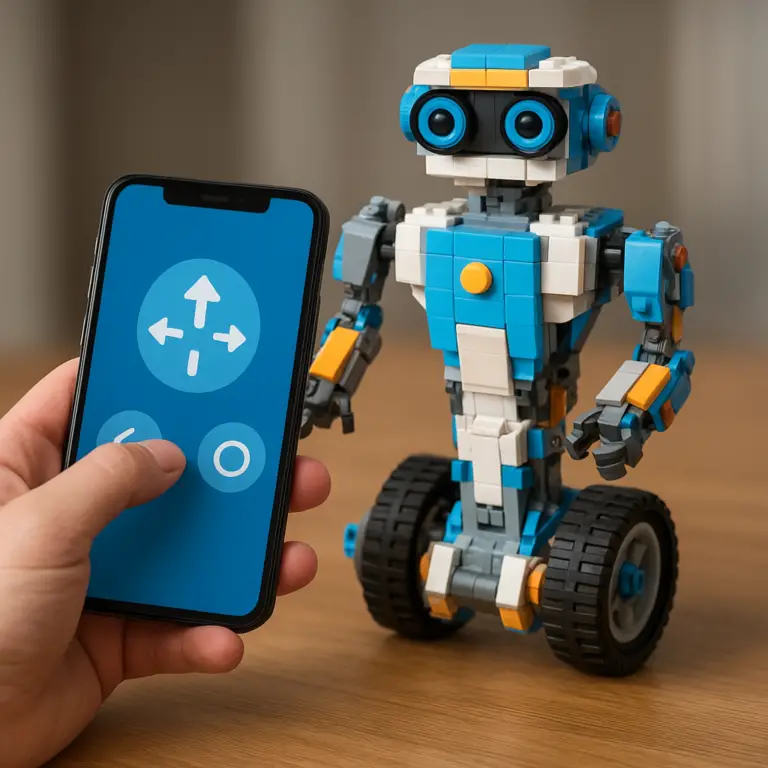
Yes! Both SPIKE Prime and EV3 support Bluetooth connections to tablets and smartphones. The official LEGO apps provide drag-and-drop programming interfaces and remote control features. For more advanced users, third-party apps like SBrick enable custom remote control over Bluetooth.
Read more about “How Do Robot Toys Boost Child Development? 7 Surprising Benefits (2025) 🤖”
What sensors can I add to my LEGO robot to make it more interactive?
Common sensors include:
- Ultrasonic/Distance sensors for obstacle detection.
- Color sensors for line following or object sorting.
- Gyroscopic sensors for precise turns and balancing.
- Touch sensors to detect bumps or button presses.
Combining multiple sensors allows your robot to make smarter decisions autonomously.
Read more about “What Was This Iconic Robotic Toy Called That Took the World by Storm in 1998? 🤖”
How do I motorize my LEGO robot creation?
Use LEGO Technic motors included in kits like EV3 and SPIKE Prime. Connect motors to the programmable hub via ports, then program them to rotate at desired speeds and directions. Incorporate gears and axles to transfer motion efficiently. For free builds, ensure sturdy connections and balanced weight distribution.
What programming languages can I use to control a LEGO robot?
The official LEGO apps use block-based visual programming (Scratch-like) ideal for beginners. For advanced control, SPIKE Prime and EV3 support Python, allowing text-based coding with greater flexibility. Some enthusiasts use C++ or Java with third-party firmware like ev3dev.
Read more about “15 Best Robot Toys with Remote Control to Wow Kids in 2025 🤖”
What LEGO sets are best for building a moving robot?
The top picks are:
- LEGO Education SPIKE Prime for modern sensors and Python support.
- LEGO MINDSTORMS EV3 for a mature ecosystem and powerful motors.
- LEGO BOOST Creative Toolbox for younger kids starting out.
Each offers different complexity levels and learning curves.
Read more about “How Much Does 1 Robot Cost? 🤖 The Ultimate 10-Point Breakdown (2025)”
What basic components do I need to build a motorized LEGO robot?
You’ll need:
- A programmable hub (brain).
- At least one motor for movement.
- Sensors (distance, color, touch) for interaction.
- Technic beams, axles, and connectors for structure.
- A power source (rechargeable battery or AA pack).
- Programming software compatible with your hub.
Read more about “🤖 Top 8 Robot Action Figures for Boys to Ignite Imagination (2025)”
Can beginners build a LEGO robot that moves without programming experience?
Absolutely! LEGO BOOST and SPIKE Prime apps provide step-by-step tutorials with drag-and-drop coding blocks. Many kits include pre-programmed behaviors you can customize. This hands-on approach eases beginners into programming concepts without prior experience.
Read more about “Which LEGO Robot Is the Best? Top 5 Kits Compared 🤖 (2025)”
How do I program a LEGO robot to navigate obstacles on its own?
Use an ultrasonic sensor to detect obstacles. Write a loop that moves the robot forward until the sensor reads a distance below a threshold, then commands a turn (using gyro sensor or timed motor rotation). Repeat this logic to enable autonomous navigation.
What are the best sensors to use in a LEGO robot for autonomous movement?
The ultrasonic sensor is key for obstacle detection. The gyro sensor helps maintain orientation during turns. Color sensors enable line following and surface detection. Combining these sensors allows your robot to perceive and react to its environment effectively.
How can I improve the battery life of my moving LEGO robot?
- Use rechargeable lithium-ion battery packs instead of disposable AAs.
- Optimize your code to reduce motor run time and avoid unnecessary movements.
- Use gearing to balance speed and torque efficiently.
- Turn off sensors and motors when not in use.
- Keep firmware updated for power management improvements.
Read more about “How Do Interactive Robot Toys Work? 🤖 Unveiling 10 Secrets (2025)”
Are there any online tutorials for building and coding LEGO robots for kids?
Yes! LEGO’s official Education site offers free lesson plans and tutorials. YouTube channels like Builderdude35 provide beginner-friendly coding guides. Online platforms like Code.org and Scratch also have robotics-related projects. Local libraries and STEM clubs often host workshops too.
Reference Links and Citations
- LEGO Education SPIKE Prime: https://education.lego.com/en-us/products/lego-education-spike-prime-set/45678/
- LEGO MINDSTORMS EV3: https://www.lego.com/en-us/themes/mindstorms/about
- LEGO BOOST Creative Toolbox: https://www.lego.com/en-us/themes/boost
- LEGO Digital Designer: https://www.lego.com/en-us/themes
- FIRST LEGO League: https://www.firstinspires.org/robotics/fll
- Duracell Battery Cost Comparison: http://www.duracell.com/en-us/faqs
- MIT Scratch Statistics: https://scratch.mit.edu/statistics
- Carnegie Mellon Robotics PID Paper: https://www.cs.cmu.edu/~motionplanning/papers/sb_06.pdf
- World Economic Forum Future Skills: https://www.weforum.org/stories/2020/10/top-10-work-skills-of-tomorrow-how-long-it-takes-to-learn-them/
- Reddit Robotics “How to Get Started”: https://www.reddit.com/r/robotics/comments/kpkne5/how_to_get_started_in_robotics_education_career/
We hope this guide lights the way on your LEGO robotics journey. Remember: every master builder started with one brick—and one line of code. Ready, set, build! 🚀