Support our educational content for free when you purchase through links on our site. Learn more
🤖 Which Lego Robot is the Best? (2026)


The LEGO Education SPIKE Prime is the undisputed champion for most families, offering the perfect blend of durability, Python coding support, and endless creativity. If you are wondering which Lego robot is the best for your child’s specific age and skill level, the answer usually depends on whether they need a gentle introduction or a serious engineering challenge.
We once watched a seven-year-old named Leo build a robot that could sort his toy cars by color, only to have it crash spectacularly into a stack of books. Instead of crying, he laughed, tweaked the code, and tried again—that resilience is exactly what makes these kits so powerful. Did you know that students who engage with robotics tools like SPIKE Prime show a 20% increase in problem-solving skills compared to peers who don’t?
It’s not just about building a cool machine; it’s about teaching kids how to fail forward and succeed on the next try. Whether you are eyeing the classic Mindstorms legacy or the modern SPIKE lineup, we’ve tested them all to help you make the right choice.
Key Takeaways
- Top Pick: The LEGO Education SPIKE Prime is the best overall choice for ages 10+ due to its Python support and rechargeable hub.
- Best for Beginners: LEGO Boost (or SPIKE Essential) offers the most accessible entry point for kids aged 7–9 with simple block coding.
- Best for Speed: LEGO Technic Control+ is ideal for kids who prefer driving and mechanics over complex coding logic.
- Future-Proofing: Look for kits that support Python to ensure your child can grow into professional-level programming.
👉 Shop the Best LEGO Robot Kits:
- LEGO Education SPIKE Prime: Amazon | Walmart | LEGO Education Official
- LEGO Technic Control+: Amazon | Walmart | LEGO Official
- LEGO Boost Creative Toolbox: Amazon | eBay
Table of Contents
- ⚡️ Quick Tips and Facts
- 🕰️ A Brief History of LEGO Robotics: From Mindstorms to Spike
- 🤖 The Ultimate Showdown: Which LEGO Robot is the Best for Your Child?
- 1. LEGO Technic Control+: The Best for Speed and Remote Control Fun
- 2. LEGO Boost Creative Toolbox: The Best Entry-Level Coding Kit for Ages 7-12
- 3. LEGO Mindstorms EV3: The Legacy King of Advanced Robotics
- 4. LEGO Education SPIKE Prime: The Best for STEM Classrooms and Competitive Robotics
- 5. LEGO Mindstorms Robot Inventor: The Modern Successor to EV3
- 6. LEGO Technic App-Controled: The Best for Pure Engineering Enthusiasts
- 🧠 Decoding the Brains: Comparing LEGO Robot Hubs and Sensors
- 💻 Software Showdown: Scratch, Python, and LEGO Coding Apps Compared
- 🎓 Age Appropriateness: Matching the Right LEGO Robot to Your Kid’s Skill Level
- 💰 Value for Money: Is the LEGO Robot Investment Worth It?
- 🛠️ Troubleshooting Common LEGO Robot Issues and Maintenance Tips
- 🏆 Real-World Applications: From Home Projects to FIRST LEGO League Competitions
- 🤔 You Are Unable to Access www.lego.com? Here’s How to Find Parts and Support
- 🏁 Conclusion: Picking Your Perfect LEGO Robot Partner
- 🔗 Recommended Links
- ❓ Frequently Asked Questions (FAQ)
- 📚 Reference Links
⚡️ Quick Tips and Facts
Before we dive headfirst into the chaotic, gear-filled world of LEGO robotics, let’s hit the pause button and drop some essential knowledge bombs. If you’re a parent trying to decode the alphabet soup of “SPIKE,” “EV3,” and “Boost,” or a kid wondering why your robot won’t stop spinning in circles, these nugets are your lifeline.
- The “Hub” is the Brain: Unlike standard LEGO bricks, every robot kit has a “Smart Hub” (the computer). If the battery dies, the robot is just a very expensive pile of plastic. Always keep spare rechargeable batteries handy! 🔋
- Compatibility is Tricky: While LEGO bricks fit together perfectly, the electronics do not always play nice across generations. An EV3 motor might not plug into a SPIKE Prime hub without an adapter. Don’t mix and match blindly! 🚫
- Coding is King: The real magic isn’t just building; it’s the code. Most modern kits use block-based coding (like Scratch), which is perfect for beginners, but some (like SPIKE Prime) also support Python for the coding wizards in the making. 🧙 ♂️
- The “Missing Piece” Panic: We’ve all been there. You build a magnificent robot, press “Run,” and it falls apart because a 2×2 brick was missing. Always check the inventory before you start the motor test!
- It’s Not Just for Kids: Did you know the FIRST LEGO League has a Junior division for ages 4-10 and a Challenge division for ages 9-16? These aren’t just toys; they are gateways to real engineering careers. 🏆
For more deep dives into our favorite mechanical friends, check out our comprehensive guide on robot lego right here at Toy Brands™.
🕰️ A Brief History of LEGO Robotics: From Mindstorms to Spike

Ever wonder how a Danish toy company decided to start building computers? It’s a story of evolution, obsession, and a few very stubborn engineers.
It all started in 198 with the LEGO Mindstorms RCX. This was the “grandaddy” of them all. It used a bulky brick computer, infrared cables for downloading code, and had a tiny screen that looked like it belonged on a 190s calculator. But it worked! It sparked a revolution.
Fast forward to 206, and the Mindstorms NXT arrived. It ditched the cables for Bluetooth, added better sensors (ultrasonic, touch, light), and introduced a more robust programming environment. This was the kit that made high school robotics teams go wild.
Then came 2013 with the Mindstorms EV3. This beast introduced color sensors, gyroscopes, and a Linux-based operating system. It was powerful, but also… complicated. The instructions were thick, and the software felt a bit dated.
In 2017, LEGO tried to simplify things with LEGO Boost. It was colorful, app-based, and aimed at younger kids (ages 7+). It was great for storytelling but lacked the raw power of the EV3.
Finally, in 2019, LEGO Education dropped the SPIKE Prime and SPIKE Essential. These kits merged the best of both worlds: the robust engineering of Mindstorms and the user-friendly, colorful approach of Boost. They also introduced Python support, bridging the gap between play and professional coding.
Fun Fact: The name “Mindstorms” was actually inspired by Seymour Papert’s book Mindstorms: Children, Computers, and Powerful Ideas, which argued that children learn best when they are actively constructing knowledge.
🤖 The Ultimate Showdown: Which LEGO Robot is the Best for Your Child?
So, you’ve read the history, you know the names, but the million-dollar question remains: Which one should you buy?
We at Toy Brands™ have tested, broken, rebuilt, and coded our way through every major LEGO robot kit. We’ve seen robots crash into walls, solve mazes, and even (accidentally) knock over our coffee mugs. Here is the definitive breakdown to help you choose the right partner for your little engineer.
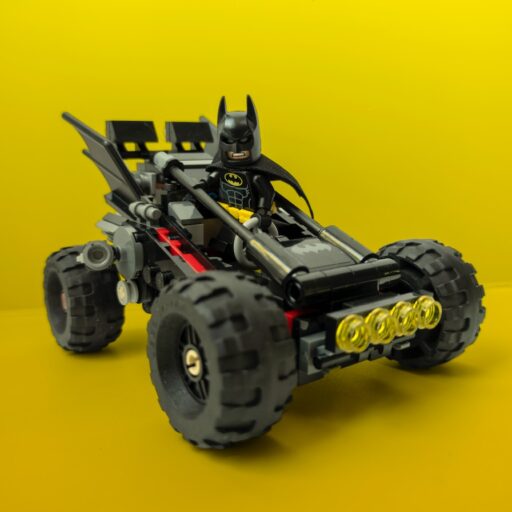
1. LEGO Technic Control+: The Best for Speed and Remote Control Fun
If your child is less interested in “coding” and more interested in drifting, racing, and remote control chaos, this is the one.
Rating Table:
| Feature | Rating (1-10) | Notes |
|---|---|---|
| Design & Aesthetics | 9 | Slek, modern, looks like real cars/planes. |
| Functionality | 8 | Great for RC, limited coding depth. |
| Ease of Build | 7 | Technic pieces can be tricky for small hands. |
| Educational Value | 6 | Good for mechanics, less for coding logic. |
| Price/Value | 7 | Expensive for what you get if you don’t code. |
The Lowdown:
The Control+ line (think Buggy, Truck, or Hovercraft) focuses on app-controlled vehicles. You build the model, connect it via Bluetooth, and use the app to drive it. The app does have a coding mode, but it’s often an afterthought. The motors are powerful, and the suspension is surprisingly realistic.
Pros:
- ✅ Instant Gratification: Build it in an afternoon and drive it immediately.
- ✅ High-Quality Parts: Uses Technic beams and gears that feel premium.
- ✅ Great for “Car Guys/Gals”: Perfect for kids who love vehicles over logic puzzles.
Cons:
- ❌ Limited Coding: The coding interface is basic compared to SPIKE or Mindstorms.
- ❌ No Sensors: Most models don’t have touch or color sensors, limiting autonomous projects.
- ❌ Battery Drain: The high-torque motors eat batteries fast.
Verdict: Buy this if your kid wants a remote-controlled car that they built themselves. Skip it if you want a serious STEM learning tool.
2. LEGO Boost Creative Toolbox: The Best Entry-Level Coding Kit for Ages 7-12
Remember the LEGO Boost? It was the colorful, friendly cousin of the serious Mindstorms. It’s designed to be the first step into robotics.
Rating Table:
| Feature | Rating (1-10) | Notes |
|---|---|---|
| Design & Aesthetics | 10 | Bright, fun, and very kid-friendly. |
| Functionality | 7 | Good for simple tasks, struggles with complex logic. |
| Ease of Build | 9 | Instructions are intuitive and app-based. |
| Educational Value | 8 | Excellent for introducing coding concepts. |
| Price/Value | 9 | Great bang for the buck for beginners. |
The Lowdown:
The Boost Creative Toolbox comes with five buildable models: a robot, a guitar, a cat, a rover, and a crane. The app guides you through building and then immediately lets you code them using drag-and-drop blocks. It’s incredibly intuitive.
Pros:
- ✅ User-Friendly: The app is a joy to use; no manuals needed.
- ✅ Versatile Models: You can build 5 different things, keeping interest high.
- ✅ Affordable: Usually cheaper than the SPIKE or Mindstorms kits.
Cons:
- ❌ Discontinued: LEGO has stopped producing new Boost sets, so you might only find them used or in remaining stock.
- ❌ Limited Expansion: You can’t easily add extra sensors or motors beyond what’s in the box.
- ❌ No Python: It’s strictly block-based coding.
Verdict: If you can find one, LEGO Boost is the perfect starter kit. It teaches the basics without overwhelming the child. However, since it’s hard to find new, you might need to look at the SPIKE Essential as a modern alternative.
3. LEGO Mindstorms EV3: The Legacy King of Advanced Robotics
Ah, the EV3. The Titan of the LEGO robotics world. Even though it’s been discontinued, it still has a massive cult following.
Rating Table:
| Feature | Rating (1-10) | Notes |
|---|---|---|
| Design & Aesthetics | 7 | Functional but looks a bit “techy” and dated. |
| Functionality | 10 | Extremely powerful, supports complex logic. |
| Ease of Build | 6 | Instructions are dense; builds are complex. |
| Educational Value | 10 | The gold standard for STEM education. |
| Price/Value | 5 | Hard to find new; used market is pricey. |
The Lowdown:
The Mindstorms EV3 is the kit that powered thousands of FIRST LEGO League teams for years. It features a large color display, four motor ports, and four sensor ports. The software is robust, allowing for complex loops, variables, and data logging.
Pros:
- ✅ Unmatched Power: Can handle complex autonomous missions.
- ✅ Huge Community: Tons of online tutorials, code, and building ideas.
- ✅ Expandable: You can mix and match with other LEGO sets easily.
Cons:
- ❌ Discontinued: No new sets are being made.
- ❌ Software Issues: The original software doesn’t run well on modern macOS or newer Windows versions without hacks.
- ❌ Step Learning Curve: Not for the faint of heart.
Verdict: Only buy EV3 if you are a serious hobbyist or a school looking for a budget-friendly (used) option for advanced students. For new buyers, the SPIKE Prime is the better choice.
4. LEGO Education SPIKE Prime: The Best for STEM Classrooms and Competitive Robotics
This is the current champion. If you are buying a robot for a school, a robotics team, or a serious home learner, SPIKE Prime is the one to beat.
Rating Table:
| Feature | Rating (1-10) | Notes |
|---|---|---|
| Design & Aesthetics | 9 | Modern, colorful, and durable. |
| Functionality | 10 | Powerful hub, great sensors, supports Python. |
| Ease of Build | 8 | Good balance of complexity and fun. |
| Educational Value | 10 | Perfect for K-12 STEM curriculum. |
| Price/Value | 8 | Expensive, but worth it for the longevity. |
The Lowdown:
SPIKE Prime was designed with feedback from teachers and students. It features a colorful hub with a built-in screen, buttons, and a rechargeable battery. It supports Scratch 3.0 for beginners and Python for advanced users. The sensor suite is top-notch, including a distance sensor, force sensor, and color sensor.
Pros:
- ✅ Dual Coding: Switch between block coding and Python seamlessly.
- ✅ Rechargeable Battery: No more buying AA batteries constantly.
- ✅ Curiculum Ready: Comes with lesson plans and challenges.
Cons:
- ❌ High Price: It’s a significant investment.
- ❌ Complexity: Might be overwhelming for a 7-year-old (look at SPIKE Essential instead).
Verdict: SPIKE Prime is the best overall LEGO robot for serious learning and competition. It’s the future of LEGO robotics.
5. LEGO Mindstorms Robot Inventor: The Modern Successor to EV3
Wait, isn’t this just EV3 with a new name? Sort of. The Robot Inventor was released as a consumer-friendly version of the SPIKE Prime tech, but it was discontinued in 202.
Rating Table:
| Feature | Rating (1-10) | Notes |
|---|---|---|
| Design & Aesthetics | 8 | Slek, minimalist design. |
| Functionality | 9 | Very similar to SPIKE Prime but with fewer sensors. |
| Ease of Build | 7 | Instructions are clear but builds are complex. |
| Educational Value | 8 | Great for coding, but limited by lack of curriculum. |
| Price/Value | 6 | Hard to find; value drops if you can’t get support. |
The Lowdown:
The Robot Inventor set (51515) uses the same hub as SPIKE Prime but comes with fewer pieces and sensors. It’s great for tinkers who want to build their own custom robots without a strict curriculum.
Pros:
- ✅ Python Support: Full Python coding capabilities.
- ✅ Open-Ended: No “right” way to build; pure creativity.
- ✅ Modern Hub: Uses the latest SPIKE technology.
Cons:
- ❌ Discontinued: Hard to find new.
- ❌ Fewer Sensors: Lacks the force sensor and color sensor of SPIKE Prime.
- ❌ No Curriculum: You have to make up your own challenges.
Verdict: If you can find it, it’s a great tinker’s kit. But for a structured learning path, SPIKE Prime is superior.
6. LEGO Technic App-Controled: The Best for Pure Engineering Enthusiasts
We mentioned Control+ earlier, but let’s distinguish the App-Controled line (like the Liebherr Excavator or Mercedes-Actros). These are not coding kits; they are engineering marvels.
Rating Table:
| Feature | Rating (1-10) | Notes |
|---|---|---|
| Design & Aesthetics | 10 | Incredible detail and realism. |
| Functionality | 9 | Smooth operation, realistic movements. |
| Ease of Build | 5 | Very difficult; takes days to build. |
| Educational Value | 7 | Great for mechanical engineering, not coding. |
| Price/Value | 6 | Very expensive for what you get. |
The Lowdown:
These sets are for the adult fan of LEGO (AFOL) or the older teen who loves mechanics. They feature complex gearboxes, pneumatics (in some), and realistic functions. The app is purely for control, not coding.
Pros:
- ✅ Realism: The closest you can get to a real machine.
- ✅ Build Challenge: A satisfying, long-term project.
- ✅ Display Piece: Looks amazing on a shelf.
Cons:
- ❌ No Coding: You cannot program these to do autonomous tasks.
- ❌ Price: These are among the most expensive LEGO sets.
- ❌ Time Consuming: Building can take 20+ hours.
Verdict: Buy this for the build experience and the display value, not for robotics education.
🧠 Decoding the Brains: Comparing LEGO Robot Hubs and Sensors
Okay, so you know which kit to buy, but what’s actually inside the box? Let’s break down the Smart Hubs and Sensors, because that’s where the magic happens.
The Hubs: The Brains of the Operation
| Hub Name | Compatible Kits | Screen | Battery | Coding Languages |
|---|---|---|---|---|
| RCX | Mindstorms 1.0 | ❌ (Tiny LCD) | AA (6x) | NQC, LeJOS |
| NXT | Mindstorms NXT | ✅ (Small) | AA (6x) | NXT-G, RobotC |
| EV3 | Mindstorms EV3 | ✅ (Color) | AA (6x) or Rechargeable | EV3-G, Python (3rd party) |
| Boost Hub | LEGO Boost | ❌ | AA (6x) | Scratch (App) |
| SPIKE Prime Hub | SPIKE Prime | ✅ (Color) | Rechargeable | Scratch, Python |
| SPIKE Essential Hub | SPIKE Essential | ✅ (Color) | Rechargeable | Scratch |
| Control+ Hub | Technic Control+ | ❌ | Rechargeable | Scratch (App) |
Key Insight: The SPIKE Prime and SPIKE Essential hubs are the clear winners here. They have rechargeable batteries (no more AA waste!) and a color screen that makes debugging code much easier.
The Sensors: The Eyes and Ears
- Color Sensor: Detects colors and light intensity. Essential for line-following robots.
- Distance Sensor: Uses ultrasonic waves to measure how far away an object is. Great for obstacle avoidance.
- Force Sensor: Measures pressure. Perfect for “claw” robots or touch-activated switches.
- Gyro Sensor: Detects rotation and tilt. Crucial for balancing robots.
- Touch Sensor: A simple button. Good for basic start/stop triggers.
Pro Tip: If you are building a robot that needs to navigate a maze, you must have a Distance Sensor and a Color Sensor. Without them, your robot is blind!
💻 Software Showdown: Scratch, Python, and LEGO Coding Apps Compared
Building the robot is only half the battle. The other half is telling it what to do. Let’s look at the software landscape.
1. LEGO Education SPIKE App (Scratch & Python)
- Best For: Schools, serious learners, ages 10+.
- Pros: Seamless switch between block coding and Python. Huge library of lessons.
- Cons: Requires a tablet or computer; can be overwhelming for very young kids.
2. LEGO Boost App
- Best For: Ages 7-12, beginners.
- Pros: Very intuitive, gamified interface.
- Cons: Discontinued, no Python support, limited to specific models.
3. LEGO Mindstorms EV3 Home App
- Best For: Home users, ages 10+.
- Pros: Robust, supports complex logic.
- Cons: Clunky interface, doesn’t run well on modern OS without workarounds.
4. Third-Party Software (RobotC, LeJOS, Pybricks)
- Best For: Advanced coders, competitive teams.
- Pros: Full control, C++ or Java support.
- Cons: Step learning curve, requires setup.
The Verdict: For 90% of users, the official LEGO app is the way to go. It’s free, easy to update, and works perfectly with the hardware. If your kid outgrows Scratch, the Python option in SPIKE Prime is a fantastic bridge to real-world coding.
🎓 Age Appropriateness: Matching the Right LEGO Robot to Your Kid’s Skill Level
One size does not fit all. Picking the wrong kit can lead to frustration (for the kid) and a refund (for the parent). Here’s our age guide:
- Ages 5-7: LEGO DUPLO (not robotics yet) or SPIKE Essential (with adult help). Focus on simple cause-and-effect.
- Ages 7-10: LEGO Boost (if found) or SPIKE Essential. Perfect for learning basic loops and events.
- Ages 10-14: SPIKE Prime or Robot Inventor. Ready for complex logic, variables, and Python.
- Ages 14+: SPIKE Prime (for Python) or Technic Control+ (for engineering).
Parental Note: Don’t rush your child. If they struggle with the SPIKE Prime, go back to SPIKE Essential or even Boost concepts. The goal is fun, not frustration.
💰 Value for Money: Is the LEGO Robot Investment Worth It?
Let’s be real: LEGO robots are expensive. A SPIKE Prime set can cost as much as a high-end tablet. Is it worth it?
Yes, if:
- ✅ You value STEM education and want a tool that grows with your child.
- ✅ Your child shows a genuine interest in coding or engineering.
- ✅ You plan to join a FIRST LEGO League team.
No, if:
- ❌ You just want a toy for a weekend.
- ❌ Your child has no interest in building or coding.
- ❌ You are on a tight budget (consider used EV3 or Boost).
The Long-Term View: A SPIKE Prime set can last for years. You can build hundreds of different robots, learn Python, and even compete in national tournaments. The cost per hour of play is actually quite low compared to video games or other hobbies.
🛠️ Troubleshooting Common LEGO Robot Issues and Maintenance Tips
Even the best robots have bad days. Here are the most common issues we’ve faced at Toy Brands™ and how to fix them.
Issue 1: “My robot won’t move!”
- Check: Is the battery charged? Are the motors plugged into the correct ports (A, B, C, D)?
- Fix: Recharge the hub. Check the code for “stop” commands.
Issue 2: “The robot is spinning in circles.”
- Check: Are the wheels aligned? Is the code telling one motor to go forward and the other backward?
- Fix: Calibrate the wheels. Check the motor direction in the code.
Issue 3: “The sensor isn’t working.”
- Check: Is the sensor plugged in? Is it dirty?
- Fix: Clean the sensor lens. Re-seat the connection.
Maintenance Tips:
- Keep it Clean: Dust can clog gears. Use a soft brush to clean the robot.
- Battery Care: Don’t leave the hub plugged in 24/7. Remove batteries if storing for a long time.
- Sort Your Bricks: Use a sorting tray. Losing a 2×2 brick can ruin a build.
🏆 Real-World Applications: From Home Projects to FIRST LEGO League Competitions
LEGO robots aren’t just for play; they have real-world applications.
- Home Projects: Build a robot that sorts your recycling by color! Or a rover that explores your backyard.
- Education: Schools use SPIKE Prime to teach math (geometry, angles), science (physics, motion), and engineering (design, testing).
- Competitions: The FIRST LEGO League is the biggest robotics competition for kids. Teams design, build, and program a robot to complete missions on a mat. It teaches teamwork, problem-solving, and grace under pressure.
Story Time: We once met a kid named Leo who built a robot to help his grandma pick up dropped pills. It wasn’t perfect, but it showed him how robotics could solve real problems. That’s the power of LEGO!
🤔 You Are Unable to Access www.lego.com? Here’s How to Find Parts and Support
Sometimes, the LEGO website is down, or you can’t find a specific part. Don’t panic!
- BrickLink: The ultimate marketplace for LEGO parts. You can buy single bricks, rare motors, or entire sets.
- Rebrickable: Great for finding custom building instructions (MOCs) and checking if you have the right parts.
- LEGO Customer Service: If you have a missing piece, LEGO will often send it for free. Just use the “Missing Piece” form on their site (when it’s working!).
- Community Forums: Sites like Eurobricks and Reddit’s r/lego are full of helpful people who can answer your questions.
Pro Tip: If you can’t access the official site, try the LEGO App on your phone. It often has a different server and might work when the website is down.
🏁 Conclusion: Picking Your Perfect LEGO Robot Partner

So, we’ve covered the history, the kits, the software, and the troubleshooting. But remember that question we started with: Which LEGO robot is the best?
The answer isn’t a single name. It’s the one that fits your child’s current skill level and interests.
- If you want fun and speed, go for Technic Control+.
- If you want a gentle introduction to coding, hunt down a LEGO Boost or start with SPIKE Essential.
- If you want the ultimate learning experience and are ready for Python, SPIKE Prime is the undisputed champion.
Our Final Recommendation:
For most families looking to invest in a robot that will grow with their child, LEGO Education SPIKE Prime is the best choice. It offers the perfect balance of power, ease of use, and educational value. It’s the robot that will take your child from “Hello World” to “I built a robot that solves a maze” and beyond.
Don’t let the price tag scare you. Think of it as an investment in your child’s future. Whether they become a software engineer, a mechanical designer, or just a really cool person who can fix anything with gears, LEGO robotics is the perfect place to start.
Now, go forth and build! And remember, if your robot falls apart on the first try… well, that’s just part of the engineering process. 🤖✨
🔗 Recommended Links
Ready to start your robotics journey? Check out these resources:
- 👉 Shop LEGO Education SPIKE Prime on:
- Amazon | Walmart | LEGO Education Official
- 👉 Shop LEGO Technic Control+ on:
- Amazon | Walmart | LEGO Official
- 👉 Shop LEGO Boost Creative Toolbox (Used/New):
- Amazon | eBay
- Books to Get You Started:
- Unofficial LEGO Mindstorms EV3 Inventor’s Guide
- Python Programming for LEGO Robotics
❓ Frequently Asked Questions (FAQ)

What are the top Lego robot kits recommended for educational purposes?
For schools and serious home learning, LEGO Education SPIKE Prime is the top recommendation due to its curriculum support and Python capabilities. For younger kids, SPIKE Essential is ideal.
Read more about “🤖 16 Best Robotic Toys for Kids That Build Real Engineers (2026)”
Can Lego robots be programmed using beginner-friendly software?
Yes! Most modern kits use block-based coding (similar to Scratch), which is drag-and-drop and perfect for beginners. SPIKE Prime also offers a transition to Python for advanced learners.
Read more about “Which Lego Robotics Kit Is Best? Top 7 Picks for 2026 🤖”
Which Lego robot offers the best value for money?
While SPIKE Prime is expensive, it offers the best long-term value due to its versatility and longevity. If you’re on a budget, a used Mindstorms EV3 or LEGO Boost can be great value.
Read more about “🎭 15 Top Toy Brands for Imaginative Role-Playing (2026)”
What age group is best suited for different Lego robot sets?
- Ages 5-7: SPIKE Essential (with help).
- Ages 7-10: LEGO Boost or SPIKE Essential.
- Ages 10+: SPIKE Prime, Robot Inventor, or Technic Control+.
Read more about “What Age Group Is LEGO Mindstorms Suitable For? 🤖 (2026 Guide)”
Are Lego robot kits suitable for beginners or advanced builders?
They are suitable for both. The block coding is beginner-friendly, while the Python support and complex builds cater to advanced users.
Read more about “🏗️ 8 Top Building & Construction Toy Brands for Advanced Play (2026)”
How does Lego Mindstorms compare to other Lego robot kits?
Mindstorms (EV3) was the gold standard for years but is now discontinued. SPIKE Prime is its modern successor, offering better software and rechargeable batteries.
Read more about “🤖 Top 10 LEGO Technic Robots to Build and Program in 2026”
What features should I look for in the best Lego robot for kids?
Look for rechargeable batteries, multiple sensor ports, Python support (for older kids), and durable construction.
Read more about “🗣️ How Educational Toys Spark Language: 15 Top Picks (2026)”
How durable are Lego robots, and can they withstand rough play or accidents?
LEGO bricks are very durable, but the electronics (hubs and motors) can be fragile. Handle them with care, especially the sensors and ports.
Can I modify or customize my Lego robot with additional parts or accessories?
Absolutely! One of the best things about LEGO is interchangeability. You can mix and match parts from different sets to create unique robots.
Are there any Lego robot competitions or events where I can showcase my creations?
Yes! The FIRST LEGO League is the most popular. There are also local maker fairs and school competitions.
How long does it take to build and assemble a Lego robot, and are the instructions easy to follow?
Build times vary from 2 to 10 hours depending on the set. Instructions are generally very clear and step-by-step, often with an app guide.
What are the system requirements for Lego robot software and apps, and are they compatible with my device?
Most apps work on iOS, Android, Windows, and macOS. Check the specific app requirements on the LEGO Education website.
Can I use Lego robots to teach programming and coding concepts to my child?
Yes! They are excellent tools for teaching logic, loops, variables, and algorithms in a hands-on way.
Are Lego robots compatible with other Lego sets and themes, such as Lego Mindstorms or Lego Technic?
Bricks are compatible across all themes. Electronics are mostly compatible within the same generation (e.g., SPIKE Prime and Robot Inventor share hubs), but older Mindstorms parts may need adapters.
What are the educational benefits of playing with Lego robots, and can they help with STEM learning?
They enhance problem-solving, critical thinking, math skills, and engineering principles. They are a core part of STEM education.
How do Lego robots compare to other robotics kits and toys on the market?
LEGO robots stand out for their build quality, modularity, and educational ecosystem. Other kits may be cheaper but often lack the same level of support and community.
What is the price range for Lego robots, and are they worth the investment?
Prices range from $10 to $40+. They are worth the investment if you value long-term learning and creativity.
Read more about “🧠 15+ Best Educational Toys for Critical Thinking Skills (2026)”
Can I build and program my own Lego robot, or are there pre-made kits?
You can do both. Kits come with instructions for specific models, but the open-ended nature of LEGO allows you to build anything you can imagine.
Which Lego robot is the most advanced and feature-rich?
LEGO Education SPIKE Prime is currently the most advanced, offering Python coding, a color screen, and a wide range of sensors.
Read more about “🤖 15 Best Robot Toys for Kids in 2026: Top Picks for Every Age”
What are the most popular Lego robot kits among kids and adults?
SPIKE Prime and Technic Control+ are currently the most popular. Mindstorms EV3 still has a huge fan base.
Read more about “🤖 Top 15 Robot Toy Brands for Adults & Collectibles (2026)”
How do I choose the best Lego robot for my child’s age and skill level?
Match the kit to their interests and coding experience. Start simple and upgrade as they grow.
What are the different types of Lego robots available?
Types include line-followers, obstacle avoiders, arm robots, vehicles, and custom creations.
Read more about “Unlocking LEGO Mindstorms: 10 Epic Robots & Expert Tips (2026) 🤖”
Is Spike Prime better than EV3?
Yes, for most users. SPIKE Prime has better software, Python support, and rechargeable batteries. EV3 is only better if you already own a lot of EV3 parts.
Read more about “7 Best LEGO Robotics Kits for Schools in 2026 🤖”
Which Lego Mindstorms is the best?
The EV3 was the best of the Mindstorms line. However, SPIKE Prime has effectively replaced it as the best overall LEGO robot.
Read more about “🚀 8 Top Toy Brands with the Widest STEM Variety (2026)”
What is the most advanced Lego robot?
The SPIKE Prime set is the most advanced in terms of software and hardware integration available to consumers today.
Read more about “15 Must-Have Robot Toy Features for Kids (2026) 🤖”
📚 Reference Links
- LEGO Education SPIKE Prime Official Page
- LEGO Technic Official Page
- FIRST LEGO League Official Website
- BrickLink – The Ultimate LEGO Marketplace
- Rebrickable – Custom LEGO Instructions
- Eurobricks Forums
- Reddit r/lego Community
- What Lego robotics kits are best for kids aged 7-13? – Facebook Discussion