Support our educational content for free when you purchase through links on our site. Learn more
What Is the Cheapest Robot Ever? 🤖


The cheapest working robot ever is likely a simple DIY bristle bot, while the cheapest ready-made robot is usually a wind-up or basic battery-powered toy. The answer depends on whether you mean a toy, programmable machine, robot vacuum, or humanoid robot.
So, what is the cheapest robot ever? A tiny vibration motor taped to a toothbrush head can create a real moving robot from everyday materials. It will not fold laundry or defeat a maze with dramatic movie music, but it does sense the world through friction and turns electrical energy into motion.
For a programmable robot, affordable Arduino and micro:bit kits offer much more control. For a commercial humanoid, Unitree’s R1 stands out as a lower-cost option, but it still belongs in the advanced robotics category rather than the toy box.
Our Toy Brands™ kids and parents tested the question from several angles: What is the cheapest robot to buy, build, program, learn from, and live with? The surprising answer is that the absolute cheapest robot is rarely the best bargain.
Key Takeaways ⚡
- Cheapest DIY robot: A bristle bot made with a toothbrush head, vibration motor, battery, and tape.
- Cheapest ready-made robot: A wind-up, remote-controlled, or basic battery-powered robot toy.
- Cheapest programmable robot: Entry-level Arduino robot kits, micro:bit robot kits, and Makeblock mBot.
- Cheapest useful home robot: A basic robot vacuum, although cleaning ability, replacement parts, and navigation matter more than the lowest purchase price.
- Cheapest commercial humanoid candidate: Unitree R1, which is an advanced development platform, not a children’s toy.
- Best family value: Choose a robot that matches your goal: play, coding, building, or household help.
- Important safety tip: Coin-cell batteries, exposed wiring, small parts, and powerful motors require age-appropriate supervision.
Shop affordable robot categories
- DIY robotics kits: Amazon | Arduino Official Website
- Educational robots: Amazon | micro:bit Official Website
- Robot toys: Amazon | Toy Brands™ Robot Toy Guide
- Robot vacums: Amazon | Ecovacs Official Website
- Humanoid robots: Unitree Official Website
Table of Contents
- ⚡️ Quick Tips and Facts: What Is the Cheapest Robot Ever?
- 🤖 The Short Answer: It Depends on What You Mean by “Robot”
- 📚 Robot History: From Simple Toys to Affordable Autonomous Machines
- The First Low-Cost Robot Toys
- How Robotics Became Affordable
- Why Robot Prices Keep Falling
- 🔍 How We Define the Cheapest Robot
- Toy Robots, Educational Robots, Service Robots, and Industrial Robots
- New, Used, DIY, Open-Source, and Kit Robots
- Purchase Price Versus Total Cost of Ownership
- What Counts as a Real Robot?
- 🏆 15 Cheapest Robots You Can Actually Buy or Build
- 1. Basic Wind-Up Robot Toys
- 2. Remote-Controled Robot Toys
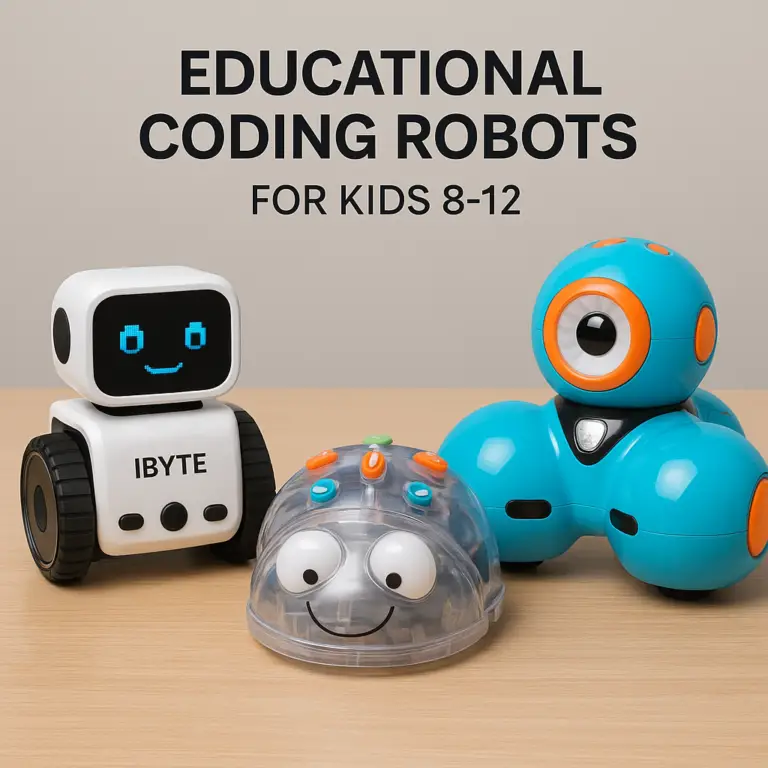
- 3. Programmable Coding Robots
- 4. Solar-Powered Robot Kits
- 5. Brush Bots and Bristle Robots
- 6. Cardboard and Recycled-Material Robots
- 7. Arduino Robot Car Kits
- 8. Raspberry Pi-Powered Robots
- 9. Micro:bit Robot Kits
- 10. Sphero Programmable Robots
- 11. Makeblock mBot Robots
- 12. WowWe and Similar Interactive Robot Toys
- 13. Entry-Level Robot Vacums
- 14. Open-Source Humanoid Robot Projects
- 15. Used Commercial and Educational Robots
- 💸 The Cheapest Robot Toy: What You Get for the Least Money
- Best Budget Robot Toys for Young Children
- Best Low-Cost Robots for Older Kids
- Cheapest Robot Toys With Lights, Sound, and Movement
- Cheapest Robot Toys That Can Be Programed
- 🧠 The Cheapest Educational Robot for Coding and STEM Learning
- Scratch-Compatible Robot Platforms
- Arduino Versus micro:bit Versus Raspberry Pi
- Do Cheap Robots Teach Real Programming Skills?
- Best Affordable Robot Kits for Classrooms and Homeschooling
- 🧹 The Cheapest Robot Vacuum: Budget Cleaning Robots Compared
- What an Entry-Level Robot Vacuum Can Really Do
- Budget Robot Vacuum Features Worth Paying For
- Features Cheap Robot Vacums Usually Skip
- Robot Vacuum Brands to Consider
- Cheap Robot Vacuum Versus Premium Robot Vacuum
- Can the Cheapest Robot Vacuum Clean Pet Hair and Carpets?
- Robot Vacuum Replacement Parts, Filters, and Battery Costs
- 🛠️ The Cheapest Robot You Can Build Yourself
- A Simple Bristle Bot Project
- A Low-Cost Arduino Robot Car
- A Beginner-Friendly Line-Following Robot
- DIY Robot Tools and Components Checklist
- Hidden Costs of Building a Robot
- DIY Robot Safety for Kids
- ⚙️ What Makes a Robot Cheap or Expensive?
- Sensors, Motors, Controllers, and Batteries
- Artificial Intelligence and Computer Vision
- Software, Apps, Cloud Services, and Subscriptions
- Manufacturing, Reliability, and Quality Control
- Why Humanoid Robots Cost More Than Robot Cars
- ✅ What to Look for in an Affordable Robot
- Movement and Navigation
- Programming Options
- Battery Life and Charging
- Durability and Repairability
- Privacy and App Permissions
- Age Ratings and Accessibility
- ❌ Cheap Robot Buying Mistakes to Avoid
- Confusing a Robot Toy With an Autonomous Robot
- Ignoring Missing Accessories
- Buying a Robot With a Discontinued App
- Choosing Low Quality Over Repairable Design
- Forgetting Safety Certifications
- 🧪 How We Evaluate Affordable Robots
- Hands-On Testing Criteria
- Movement, Autonomy, and Ease-of-Use Tests
- Educational Value and Replayability
- Long-Term Reliability Testing
- Value-for-Money Scoring
- 👨 👩 👧 About Our Expert Toy Brands Team
- 🔬 Honest, Objective, Hands-On Robot Reviews
- 🎯 Recommended by Our Editors: Best Budget Robots by Category
- Best Cheapest Robot for Todlers
- Best Cheapest Robot for Coding
- Best Cheapest Robot for STEM Learning
- Best Cheapest Robot for DIY Builders
- Best Cheapest Robot for Cleaning Floors
- Best Cheapest Robot for Robot Collectors
- 🛒 Where to Buy a Cheap Robot Safely
- Trusted Retailers and Official Brand Stores
- Buying Used Robots Online
- How to Spot Counterfeit Robot Toys and Fake Listings
- Warranty, Returns, and Customer Support
- 🔋 How to Make a Cheap Robot Last Longer
- Cleaning and Maintaining Robot Components
- Charging and Storing Robot Batteries
- Updating Firmware and Protecting Robot Apps
- Finding Replacement Parts
- 🌍 Environmental Impact of Low-Cost Robots
- Electronic Waste and Battery Disposal
- Repairable Robots Versus Disposable Toys
- Secondhand Robots and Sustainable Buying
- 🔮 The Future of Affordable Robotics
- Will Home Robots Become Cheaper?
- Low-Cost AI Robots and Open-Source Hardware
- What the Cheapest Robots May Do Next
- 🆚 Cheapest Robot Versus Most Useful Robot
- When Spending a Little More Makes Sense
- The Best Budget-to-Performance Sweet Spot
- ❓ FAQ: Cheapest Robots Answered
- What is the cheapest robot ever made?
- What is the cheapest robot you can buy today?
- Can a robot really be free?
- What is the cheapest programmable robot?
- What is the cheapest robot vacuum?
- Are cheap robots safe for children?
- Is it cheaper to build or buy a robot?
- Do cheap robots need Wi-Fi or a smartphone app?
- Are inexpensive robot toys worth buying?
- 🏁 Conclusion: Finding the Cheapest Robot That Is Actually Worth It
- 🔗 Recommended Links
- 📖 Reference Links
Quick Tips and Facts: What Is the Cheapest Robot Ever? 🤖
Our short answer: there is no single universally accepted “cheapest robot ever.” A wind-up robot toy, a DIY bristle bot, an educational coding robot, a robot vacuum, and a humanoid machine all fit different definitions.
If you mean the cheapest working robot you can make, a bristle bot built from a toothbrush head, vibration motor, battery, and tape is a strong contender. If you mean the cheapest programmable robot, small Arduino, micro:bit, and robot-car kits usually lead the pack. If you mean a commercially available humanoid robot, the Unitree R1 is one of the clearest current candidates, with Unitree listing the R1 AIR from $4,900 before tax and shipping.
For a broader introduction, our guide to the best robot toys explains how robot toys differ from autonomous machines.
The five-second answer
| Meaning of “cheapest robot” | Likely answer | What it can do | Main catch |
|---|---|---|---|
| Cheapest moving robot | DIY bristle bot | Vibrates and scots | Very limited control |
| Cheapest robot toy | Wind-up or battery-powered toy robot | Walks, rolls, lights up, or sounds off | Usually not programmable |
| Cheapest programmable robot | Entry-level Arduino or micro:bit kit | Follows lines, avoids obstacles, responds to code | Requires assembly and setup |
| Cheapest practical home robot | Basic robot vacuum | Automates floor cleaning | Navigation and cleaning may be basic |
| Cheapest humanoid robot | Unitree R1 AIR | Bipedal movement and developer control | Expensive, powerful, and still limited |
| Cheapest “robot” in a broad sense | A simple automated device | Performs one repeated task | Automation does not always equal robotics |
Three facts worth remembering ✅
- Cheap does not mean useless. A small coding robot can teach sensors, loops, motors, and debugging more effectively than a flashy machine that only dances.
- The cheapest sticker price is not the cheapest ownership cost. Batteries, chargers, software, replacement parts, shipping, and accessories can change the winner.
- Humanoid robots are still expensive. Unitree’s R1 is dramatically cheaper than many humanoid platforms, but it is not a budget toy for most families.
The twist? The “cheapest robot ever” may be less impressive than the cheapest robot that teaches, helps, or entertains you for more than one afternoon. That distinction guides everything below.
The Short Answer: It Depends on What You Mean by “Robot” 🧭
The word robot covers a surprisingly large playground. It can describe a toy that walks in a straight line, a programmable rover that senses walls, or a 29-kilogram humanoid with 20–26 degrees of freedom.
The International Federation of Robotics separates industrial robots from service robots, while educational robotics platforms often sit somewhere between a toy and a development tool. That is why two articles can confidently name different “cheapest robots” without either being completely wrong.
A practical definition
For this article, we call a robot a machine that:
- Senses or receives information
- Processes instructions
- Acts through motors, wheels, arms, lights, or other outputs
- Performs at least some behavior automatically or under programmed control
That definition excludes a static robot figure but can include a simple obstacle-avoiding car.
Why online claims conflict
A headline may call something the “cheapest robot” because it is:
- The cheapest humanoid
- The cheapest commercialy sold robot
- The cheapest robot vacuum
- The cheapest programmable educational robot
- The cheapest DIY build
- The cheapest robot available during a sale
For example, PCMag described the Ecovacs Debot X8 Pro Omni as a “Best Robot Vacuum Under $600” during a particular promotion and reported that the deal was its “lowest price ever.” That does not make it the cheapest robot overall. It means the X8 offered unusually premium vacuum-and-mop performance at a lower-than-usual sale price.
Meanwhile, the first featured video presents the Unitree R1 as the cheapest humanoid robot ever, beginning at $5,900 in the video’s account. Unitree’s current product page lists an R1 AIR configuration from $4,900, showing why dates, models, and configurations matter.
Robot History: From Simple Toys to Affordable Autonomous Machines 📚

The cheapest robots did not begin with artificial intelligence or humanoid acrobatics. They began with simple mechanisms: gears, springs, switches, motors, and clever timing.
The first low-cost robot toys
Wind-up tin robots and battery-powered toy robots became popular because they reduced robotics to a few satisfying tricks:
- A spring-powered motor
- Gears that converted rotation into walking
- A cam or linkage that moved arms
- A switch or button
- Decorative lights, sounds, or plastic armor
These toys are not autonomous in the modern sense, but they demonstrate a key robotics idea: mechanical systems can convert stored energy into repeatable behavior.
Our Electronic Toys collection includes the wider family of battery-powered playthings where robot toys live, from talking companions to remote-controlled vehicles.
How robotics became affordable
Several changes pushed prices downward:
| Technology shift | Effect on affordability |
|---|---|
| Small DC motors | Made movement compact and inexpensive |
| Microcontrollers | Replaced bulky control circuits |
| Low-cost sensors | Added line following and obstacle detection |
| 3D printing | Allowed custom parts without factory tooling |
| Open-source software | Reduced development costs |
| Smartphone apps | Moved computing and controls onto devices families already own |
| Mass manufacturing | Lowered costs for popular platforms |
| Online communities | Made tutorials, repairs, and troubleshooting easier |
The Arduino project helped make programmable electronics approachable, while micro:bit introduced millions of learners to simple coding and physical computing.
Why robot prices keep falling, but not evenly
A basic two-wheel robot can be cheap because it uses:
- Two motors
- A motor driver
- A small microcontroller
- A few sensors
- A lightweight frame
A humanoid robot must coordinate many joints, balance dynamically, manage high-power motors, protect users, and process complex sensor data. The engineering bill grows quickly.
That is why a small robot can cost less than a family dinner, while a humanoid robot can cost more than a car. The shape matters, but the control problem matters even more.
How We Define the Cheapest Robot 🔍
At Toy Brands™, our kids and parents test products with a simple question: What does this robot actually let a child or family do?
A cheap robot that breaks immediately is not a bargain. A modest robot that encourages a child to troubleshoot, rebuild, and try again may deliver excellent value.
Toy robots, educational robots, service robots, and industrial robots
| Category | Typical behavior | Best for | Main limitation |
|---|---|---|---|
| Robot toy | Repeats movements, sounds, or responses | Pretend play and younger children | Limited autonomy |
| Educational robot | Responds to code and sensors | STEM learning | Requires setup and adult support |
| Service robot | Performs a household task | Convenience | Usually does one job |
| Industrial robot | Repeats precise factory movements | Manufacturing | Not designed for home play |
| Humanoid robot | Walks, balances, senses, and manipulates | Research and development | High cost and safety demands |
The International Organization for Standardization publishes robotics terminology and safety standards, reinforcing the idea that “robot” is a technical category, not merely a character with a shiny face.
New, used, DIY, open-source, and kit robots
The purchase route changes what “cheap” means.
- New retail robot: Easiest return and warranty path
- Used robot: Potentialy excellent value, but batteries and apps may be obsolete
- DIY robot: Lowest component cost, highest learning curve
- Open-source robot: Strong community support, variable polish
- Robot kit: Middle ground between convenience and construction
A parent may prefer a ready-to-use Sphero because setup takes minutes. A budding engineer may prefer an Arduino kit because assembling the robot is half the fun.
Purchase price versus total cost of ownership
Before choosing, add:
- Robot or kit
- Batteries or rechargeable pack
- Charger
- Tools
- Replacement wheels, gears, or brushes
- App or cloud requirements
- Shipping and taxes
- Adult time for assembly and troubleshooting
A robot with a slightly higher purchase price but available replacement parts can beat a cheaper disposable toy over a year.
15 Cheapest Robots You Can Actually Buy or Build 🏆
This list moves from extremely simple robots to advanced machines. The lower-cost options are not direct competitors to humanoid robots; they solve different problems.
Rating scale
Ratings use a 1–10 scale, where 10 means excellent for the category. These are value-oriented assessments based on design, capability, learning potential, durability, and accessibility, not manufacturer claims.
| Robot type or example | Design | Functionality | Learning value | Durability | Ease of use | Overall value |
|---|---|---|---|---|---|---|
| Wind-up robot toy | 6 | 3 | 2 | 6 | 10 | 7 |
| Remote-controlled robot toy | 7 | 5 | 3 | 6 | 9 | 7 |
| Solar robot kit | 6 | 4 | 6 | 5 | 6 | 7 |
| Bristle bot | 3 | 2 | 7 | 3 | 6 | 8 |
| Cardboard robot | 5 | 3 | 8 | 3 | 7 | 8 |
| Arduino robot car | 6 | 7 | 9 | 6 | 5 | 9 |
| micro:bit robot | 7 | 7 | 9 | 7 | 7 | 9 |
| Sphero robot | 8 | 8 | 8 | 8 | 8 | 8 |
| Makeblock mBot | 7 | 8 | 9 | 7 | 7 | 9 |
| Raspberry Pi robot | 6 | 9 | 10 | 6 | 4 | 8 |
| Entry-level robot vacuum | 7 | 7 | 3 | 7 | 8 | 7 |
| Used educational robot | 6 | 7 | 8 | 5 | 5 | 7 |
| Open-source humanoid project | 6 | 8 | 10 | 4 | 2 | 6 |
| Unitree R1 AIR | 8 | 8 | 10 | 7 | 3 | 7 |
| Industrial robot arm | 8 | 9 | 8 | 9 | 2 | 6 |
1. Basic wind-up robot toys ⚙️
Best for: Preschool pretend play, simple mechanical curiosity, and gift baskets.
A wind-up robot is probably the cheapest commercially available “robot” many children encounter. It needs no Wi-Fi, app, coding account, or charging cable. Turn the key, release it, and watch it woble across the floor like it has an urgent appointment with the sofa.
Strengths
- No batteries required
- Immediate play
- Easy for young children to understand
- Often sturdy and portable
- No privacy or screen concerns
Drawbacks
- No sensors
- No programmable behavior
- Movement is usually repetitive
- Small parts may create age-related safety concerns
Look for products from established toy manufacturers such as Schylling and Uncle Milton, while checking the manufacturer’s age guidance and safety information.
2. Remote-controlled robot toys 🎮
Best for: Kids who want direct control rather than coding.
Remote-controlled robots can walk, roll, turn, dance, flash lights, or play sounds. The child provides the intelligence through the controller, so the robot may not be autonomous, but it still offers strong cause-and-effect play.
What to check
- Forward, reverse, and turning controls
- Remote range
- Rechargeable battery availability
- Replacement remote or pairing instructions
- Whether the robot works on carpet
- Whether sound and lights can be disabled
Brands such as WowWe have produced several interactive robot toys, while HEXBUG offers compact robotic creatures designed for straightforward play.
Parent perspective: Remote-controlled robots are often easier to enjoy immediately than coding kits.
Kid perspective: “It listens to me!” is a powerful feature.
3. Programmable coding robots 💻
Best for: Children ready to connect commands with real movement.
Programmable robots are where “robot toy” becomes “learning tool.” A child may program a sequence such as:
- Move forward
- Stop
- Turn right
- Flash an LED
- React to an obstacle
That sequence teaches order, repetition, conditions, and debugging without requiring a lecture about computer science.
Good examples include:
Potential snag: A robot can be advertised as “programmable” while offering only a handful of preset commands. Check whether it supports block coding, Python, JavaScript, or open hardware control.
4. Solar-powered robot kits ☀️
Best for: Hands-on building and basic renewable-energy demonstrations.
Solar robot kits often convert into several simple models, such as:
- A rover
- A crawling insect
- A wind-up-style walker
- A small boat
- A “dancing” robot
The educational value is strongest when the child understands the chain:
Light → solar panel → electrical energy → motor → movement
Advantages
- Introduces renewable energy
- Usually avoids disposable batteries
- Encourages construction
- Can be rebuilt into different forms
Limitations
- Performance depends on bright light
- Many kits do not store energy
- Assembly quality varies
- “Solar powered” does not necessarily mean autonomous
For younger children, choose a kit with clear instructions and adult help for small components. Our Building Blocks and Sets category covers related construction play that can complement robot kits.
5. Brush bots and bristle robots 🪥
Best for: A first DIY robot project.
A bristle bot uses a small vibration motor attached to a toothbrush head or similar brush. The bristles convert vibration into movement. It may spin, wander, or buzz into a wall, but that chaotic behavior is exactly why kids enjoy it.
Basic build process
- Use a clean, dry toothbrush head.
- Attach a small vibration motor with tape or adhesive.
- Connect the motor to a coin-cell battery using safe, insulated contacts.
- Secure loose wires.
- Place the bot on a clear, flat surface.
- Observe how changing bristle angle changes movement.
Safety: Adult supervision is essential when cutting, wiring, using adhesive, or handling coin-cell batteries. The U.S. Consumer Product Safety Commission warns about the serious risks of button and coin-cell battery ingestion.
Why we like it: It teaches that tiny design changes can alter a machine’s behavior. One child on our team angled the bristles slightly and transformed a stationary buzz-box into a determined little escape artist.
6. Cardboard and recycled-material robots ♻️
Best for: Creative families who want robotics without a polished kit.
A cardboard robot can combine:
- Reused boxes
- Bottle caps
- Straws
- Rubber bands
- Small motors
- LEDs
- Craft sticks
- Paper fasteners
The body may be decorative, but the project can still contain real mechanics and circuits.
A simple cardboard rover
- Cut a rectangular chassis.
- Mount two motors on opposite sides.
- Add wheels or bottle caps.
- Connect the motors to a battery holder and switch.
- Reinforce the axle points.
- Test movement before decorating.
- Add a sensor module later.
Benefits
- Extremely customizable
- Encourages problem-solving
- Makes failure inexpensive
- Works well in groups
Drawbacks
- Cardboard absorbs moisture
- Motors may pull loose
- Wheels may slip
- Electrical connections need care
This is an excellent companion activity for Educational Toys, particularly when the goal is creating rather than collecting.
7. Arduino robot car kits 🚗
Best for: Older children, teens, parents, and beginners who want genuine electronics experience.
Arduino robot cars typically use:
- An Arduino-compatible board
- Two or four DC motors
- Motor driver
- Ultrasonic distance sensor
- Infrared line sensors
- Battery holder
- Wheels and chassis
- Jumper wires
They can be programmed to:
- Follow a line
- Avoid obstacles
- Track light
- Respond to a remote control
- Send sensor readings
- Drive through a maze
The Arduino documentation and community provide a huge support network, which is one reason these kits remain popular.
Main drawback: “Beginer-friendly” does not mean “no adult help needed.” Wiring errors, battery polarity, and driver-board confusion can turn a ten-minute build into a Saturday afternoon investigation.
8. Raspberry Pi-powered robots 🐧
Best for: Advanced learners interested in Linux, cameras, Python, and artificial intelligence.
A Raspberry Pi robot can add:
- Camera vision
- Voice control
- Web dashboards
- Python programming
- Wireless control
- Object recognition
- Data logging
The Raspberry Pi Foundation supports computing education worldwide, and its ecosystem makes it possible to scale a project as skills grow.
Why it is not always the cheapest overall: The computer may be affordable, but you may also need:
- Storage
- Power supply
- Motor controller
- Camera
- Chassis
- Sensors
- Case
- Software setup time
Raspberry Pi is best viewed as a platform, not a single robot.
9. Micro:bit robot kits 🌟
Best for: Children who want simpler coding than Arduino but more capability than a basic toy.
The BBC micro:bit supports block coding and text-based programming, with a friendly pathway from visual commands to Python. Many robot kits add motors, sensors, LED displays, and radio communication.
The official micro:bit learning resources include classroom projects and programming guidance.
Strengths
- Gentle learning curve
- Excellent educational resources
- Built-in buttons and LED matrix
- Strong classroom use
- Can grow with the learner
Limitations
- Often requires a separate robot chassis or expansion board
- Some kits vary in connector quality
- Advanced robotics may require additional electronics
10. Sphero programmable robots 🟠
Best for: Families wanting polished hardware with accessible coding.
Sphero robots use a spherical design that makes movement visually exciting. Depending on the model, users can control them through an app, program them with block coding, or use JavaScript-based tools.
What stands out
- Durable rolling design
- Fast setup
- Strong app experience
- Coding challenges and activities
- Good replay value
What to watch
- App compatibility
- Charging method
- Floor surface
- Device requirements
- Whether the selected model supports the desired coding environment
Sphero fits between a toy and a classroom tool. It is usually more polished than a raw DIY kit, but less open-ended than building a robot from separate components.
11. Makeblock mBot robots 🧱
Best for: Structured STEM learning and family projects.
The Makeblock mBot combines a wheled platform with sensors and block-based programming. It is often appealing to parents because it offers a clearer path from assembly to coding than many anonymous electronics kits.
Good uses
- Line following
- Obstacle avoidance
- Light and sound experiments
- Classroom challenges
- Introductory programming
Potential limitations
- The platform may feel less exciting once basic challenges are mastered
- Expansion parts can become necessary for more ambitious builds
- Younger children may still need help with assembly
12. WowWe and similar interactive robot toys 🐾
Best for: Children seeking personality, sound, and reactive play.
Interactive robots from WowWe and similar brands may respond touch, sound, movement, or remote commands. Their appeal is emotional rather than purely technical: they feel like companions.
Benefits
- Immediate character and personality
- Good for imaginative play
- Often easier than coding robots
- Encourages nurturing and interaction
Drawbacks
- Software support can change
- Batteries may drain quickly
- Sensors may be limited
- A child may outgrow the preset interactions
If your family values storytelling and role-play, browse our Collectible Toys category alongside electronic companions.
13. Entry-level robot vacums 🧹
Best for: Families asking, “Can a robot actually help around the house?”
Budget robot vacums can usually:
- Move independently
- Detect some obstacles
- Return to a charging dock
- Collect dust
- Follow programmed schedules
They may lack advanced mapping, strong object recognition, self-emptying stations, or sophisticated mopping.
The Ecovacs Debot X8 Pro Omni comparison
The PCMag report praised the Ecovacs Debot X8 Pro Omni as a premium model available at an unusually low sale price. The reviewer wrote:
“If I were to recommend one autonomous floor cleaner that can do it all, it would be the Ecovacs Debot X8 Pro Omni.”
The review reported 134 minutes of battery life, strong obstacle avoidance, successful pickup tests using rice and sand, and a self-cleaning roller mop that removed raspberry jelly while minimizing cross-contamination.
But this is where terminology matters: a premium robot at a bargain price is not the same thing as the cheapest robot.
14. Open-source humanoid robot projects 🦿
Best for: University projects, advanced makers, and robotics researchers.
Open-source humanoid projects can offer:
- Custom software
- Simulation environments
- Community modifications
- Educational research
- Access to control algorithms
They rarely offer the easy setup of a children’s toy. You may need machining, electronics knowledge, programming experience, and patience bordering on heroic.
Best value for: Learning and research.
Poor value for: A family looking for a robot that works straight out of the box.
15. Used commercial and educational robots 🔄
Best for: Buyers who research carefully and accept some risk.
Used robots can include discontinued products from:
- LEGO Mindstorms
- Wonder Workshop
- Anki
- Sphero
- VEX Robotics
- Educational suppliers
Before buying, verify:
- The app still works
- The charger is included
- The battery holds a charge
- Firmware can be updated
- Replacement parts exist
- The robot is not locked to another account
The cheapest listing may be missing the one cable that makes the entire machine function. That is not a bargain; it is a robot-shaped paperweight.
The Cheapest Robot Toy: What You Get for the Least Money 🧸
For a young child, the cheapest robot toy is often the best choice when it offers:
- Safe, age-appropriate movement
- Bright but not overwhelming feedback
- Simple controls
- Durable construction
- No required app
- A clear play pattern
Best budget robot toys for young children
| Child’s need | Best robot style | Why it works | Watch for |
|---|---|---|---|
| Cause and effect | Button-operated robot | Immediate response | Loud sounds |
| Pretend play | Talking or dancing robot | Supports stories | Limited replay value |
| Fine-motor practice | Wind-up robot | Requires turning and release | Small removable parts |
| Movement play | Remote-controlled rover | Encourages coordination | Controller complexity |
| Construction | Buildable robot kit | Supports creativity | Adult assembly |
The cheapest robot is not always the best first robot
A robot with too many modes can overwhelm a preschooler. A robot with no response can bore them. We generally prefer:
✅ One obvious control
✅ Slow, predictable movement
✅ A durable body
✅ Quiet or adjustable audio
✅ No internet account
✅ Clear cleaning instructions
❌ Tiny loose accessories
❌ Unreplaceable batteries
❌ Apps that require unnecessary personal data
❌ Fast movement near stairs or pets
The American Academy of Pediatrics offers broader guidance on choosing age-appropriate digital and interactive experiences. A robot does not need a screen to create screen-like distractions.
The Cheapest Educational Robot for Coding and STEM Learning 🧠
The most affordable educational robot depends on what you want to teach.
| Learning goal | Strong starting platform | Why |
|---|---|---|
| Sequencing | Sphero indi | Visual, immediate commands |
| Block coding | Sphero BOLT or Makeblock mBot | Accessible programming |
| Electronics | Arduino robot car | Real circuits and components |
| Python and computing | Raspberry Pi robot | Flexible software |
| Early classroom coding | micro:bit robot | Gentle progression |
| Engineering design | LEGO Education SPIKE | Build-test-improve cycles |
Scratch-compatible robot platforms
Scratch is widely used for block-based programming, and several educational robots build on similar logic. Block coding is not “fake coding.” It teaches:
- Events
- Sequences
- Lops
- Conditions
- Variables
- Debuging
The important step is encouraging children to predict what will happen before pressing Run.
Arduino versus micro:bit versus Raspberry Pi
| Platform | Best feature | Difficulty | Best age range with support |
|---|---|---|---|
| Arduino | Hardware control | Medium | Older children and teens |
| micro:bit | Friendly learning curve | Low–medium | Elementary through teen |
| Raspberry Pi | Full computer flexibility | High | Teens and advanced learners |
| Sphero | Polished experience | Low | Elementary through teen |
| Makeblock | Structured robotics | Low–medium | Elementary through middle school |
Do cheap robots teach real programming skills?
Yes, if the learner does more than follow a script.
A strong activity asks the child to:
- Predict the robot’s behavior.
- Run the program.
- Observe the mismatch.
- Identify the likely cause.
- Change one variable.
- Test again.
- Explain what changed.
That cycle is authentic engineering. The robot does not need to cost thousands of dollars to teach it.
The Cheapest Robot Vacuum: Budget Cleaning Robots Compared 🧹
Robot vacums are one of the clearest examples of a machine that provides practical automation rather than pretend play.
What an entry-level robot vacuum can really do
Most basic models can:
- Navigate open rooms
- Collect loose dust and crumbs
- Return to a dock
- Run on a schedule
- Detect drop-offs with cliff sensors
- Use a rotating side brush
Performance varies sharply with:
- Floor type
- Room clutter
- Pet hair
- Threshold height
- Dark surfaces
- Cable placement
- Mapping technology
Budget robot vacuum features worth paying for
Prioritize:
- Reliable navigation
- Accessible replacement filters and brushes
- A washable dustbin
- A battery that can cover your floor area
- A useful app, if an app is required
- A reputable warranty
- Low enough height to fit under furniture
Features cheap robot vacums usually skip
Lower-cost models may omit:
- LiDAR mapping
- Advanced camera recognition
- Automatic dustbin emptying
- Heated mop washing
- Carpet mop lifting
- Multi-floor maps
- Detailed no-go zones
PCMag’s X8 review is useful because it shows what premium features look like: long battery life, obstacle avoidance, a self-cleaning roller mop, and measured cleaning tests. The lesson is not “buy the most expensive vacuum.” It is understand which features solve your household’s actual problems.
Can a cheap robot vacuum clean pet hair and carpets?
It can help, but expectations matter.
For pets, look for:
- Tangle-resistant brush design
- Strong airflow
- Large dustbin
- Easy brush removal
- Frequent scheduling
- Replacement filters
For carpets, a basic vacuum may handle surface debris but struggle with embedded hair or thick pile. The American Cleaning Institute offers general floor-care guidance that applies even when a robot does the daily patrol.
The Cheapest Robot You Can Build Yourself 🛠️
DIY robotics is often the best answer when “cheap” means maximum learning per component.
A simple bristle bot project
Materials
- Toothbrush head
- Small vibration motor
- Coin-cell battery
- Tape or adhesive
- Insulated wire, if needed
- Safety scissors or wire cutters for adult use
Build steps
- Prepare a clean work surface.
- Cut the toothbrush head only with adult supervision.
- Attach the vibration motor firmly.
- Connect the battery without exposing loose conductive ends.
- Secure the assembly so it cannot snag.
- Place the bot on a clear table.
- Adjust the angle of the bristles.
- Record how each change affects motion.
What children learn
- Friction
- Balance
- Vibration
- Energy transfer
- Iterative design
- Observation and measurement
A low-cost Arduino robot car
Core components
- Arduino-compatible controller
- Motor driver
- Two-wheel chassis
- Two DC motors
- Battery holder
- Ultrasonic sensor
- Jumper wires
- USB cable
Step-by-step programming path
- Blink an LED.
- Read a button or sensor.
- Turn one motor.
- Turn both motors.
- Drive forward.
- Reverse safely.
- Add turning.
- Read distance.
- Stop near an obstacle.
- Combine conditions into autonomous behavior.
Do not skip the early steps. A child who understands each component can diagnose problems; a child who copies a complete program may not know whether the issue is code, wiring, power, or a loose wheel.
A beginner-friendly line-following robot
Line following is a classic because the result is visible and measurable.
- Draw a high-contrast track.
- Mount infrared sensors beneath the chassis.
- Calibrate the sensors over light and dark surfaces.
- Drive both motors when centered.
- Slow one motor when the line shifts.
- Turn more sharply when the robot loses the line.
- Test on curves.
- Improve the algorithm.
This is a gentle introduction to feedback control: the robot continuously checks the world and adjusts its behavior.
What Makes a Robot Cheap or Expensive? ⚙️
Sensors, motors, controllers, and batteries
A robot’s bill is not just its shell.
| Component | Low-cost compromise | Premium improvement |
|---|---|---|
| Motor | Less torque or noisier operation | Better efficiency and durability |
| Sensor | Shorter range or lower accuracy | Faster, more reliable readings |
| Battery | Shorter runtime | Higher capacity and smart monitoring |
| Controller | Limited memory or processing | Faster computation and connectivity |
| Chassis | Flexible plastic or cardboard | Reinforced, precisely machined frame |
| Software | Basic commands | Mapping, vision, updates, and diagnostics |
Artificial intelligence and computer vision
AI features require:
- More computing power
- Better cameras or sensors
- Software development
- Data processing
- Ongoing updates
- Safety testing
That is why an inexpensive toy may respond to a clap, while a sophisticated robot identifies a chair, avoids a pet, and builds a map of your home.
Software, apps, cloud services, and subscriptions
A robot can be physically cheap but digitally expensive in time. Check:
- Does it need an account?
- Does it require Wi-Fi?
- Does the app support current operating systems?
- Can the robot work offline?
- Are important features locked behind a subscription?
- Is data sent to the cloud?
The Federal Trade Commission recommends securing internet-connected devices and reviewing privacy settings. Parents should treat connected robot toys like any other smart device.
Manufacturing, reliability, and quality control
The biggest difference between a cheap robot and a good-value robot is often quality control. A poorly aligned wheel, weak solder joint, or brittle gear can ruin the experience.
Look for:
✅ Clear manuals
✅ Real customer support
✅ Replacement parts
✅ Firmware documentation
✅ Safety information
✅ A return policy
What to Look for in an Affordable Robot ✅
Movement and navigation
Ask:
- Can it move on your floor type?
- Does it turn reliably?
- Can it recover from a wall?
- Does it get trapped under furniture?
- Is the speed appropriate for the child?
A robot that drives beautifully on hardwood may struggle on thick carpet.
Programming options
A good beginner robot may offer:
- Remote control
- Preset routines
- Block coding
- Python or JavaScript
- Open hardware access
The best choice depends on whether your child wants to play, build, code, or all three.
Battery life and charging
Check:
- Runtime
- Charge time
- Battery replacement options
- Charging safety
- Whether the robot stops safely when power is low
For young children, a robot that charges through a protected dock can be easier than one requiring loose battery removal.
Durability and repairability
A repairable robot usually has:
- Screws instead of permanent glue
- Replaceable wheels
- Accessible filters
- Standard connectors
- Downloadable manuals
That matters because children often test robots in ways engineers did not expect. Stairs, cereal, bathwater, and the family dog are common field trials.
Privacy and app permissions
Review:
- Microphone access
- Camera access
- Location permissions
- Account requirements
- Data storage
- Child-profile settings
Use the minimum permissions needed for play.
Cheap Robot Buying Mistakes to Avoid ❌
Confusing a robot toy with an autonomous robot
A toy may move when you press a button. That is still fun, but it is not the same as independently sensing and responding to its surroundings.
Ignoring missing accessories
Check listings for:
- Charger
- Battery
- Remote
- Programming cable
- Wheels
- Sensor modules
- Building instructions
Buying a robot with a discontinued app
This is especially risky for used interactive robots. Search the app store before buying and check recent reviews.
Choosing low quality over repairable design
A cheap robot with no replacement parts can cost more emotionally than financially. Nobody enjoys watching a child’s favorite bot become a silent plastic fossil.
Forgeting safety certifications
For toys, look for applicable safety information and age guidance. In the United States, the Consumer Product Safety Commission provides toy-safety guidance for manufacturers and consumers.
How We Evaluate Affordable Robots 🧪
Our Toy Brands™ team combines kid reactions with parent practicality.
Hands-on testing criteria
We consider:
- Setup time
- Build clarity
- First-play excitement
- Programming accessibility
- Battery behavior
- Durability
- Noise
- Surface performance
- Repair options
- Privacy
- Long-term replay value
Movement, autonomy, and ease-of-use tests
We test robots on:
- Hardwood
- Low-pile carpet
- Tight corners
- Obstacles
- Slopes where appropriate
- Repeated start-stop cycles
For coding robots, we run both a provided activity and a custom challenge. A robot that only succeeds when following the manufacturer’s exact script does not earn top marks.
Educational value and replayability
We ask:
- Can children create their own challenges?
- Does the robot support progression?
- Can a beginner start quickly?
- Can an advanced learner go deeper?
- Does failure teach something?
Value-for-money scoring
We do not reward the lowest purchase price automatically. Our value score considers:
Capability + durability + learning potential + support − hidden costs
That formula explains why a slightly more expensive programmable robot may be a better value than a disposable novelty.
About Our Expert Toy Brands Team 👨 👩 👧
Toy Brands™ is a family-focused team of kids, parents, and toy enthusiasts helping readers find the best toy brands for all ages.
We look at products from several angles:
- Kids ask: Is it fun after the first five minutes?
- Parents ask: Is it safe, durable, and worth the space?
- Builders ask: Can I modify it?
- Teachers ask: Does it support meaningful learning?
- Collectors ask: Is it distinctive enough to keep?
Our personal experience includes battery-powered toys, construction sets, beginner coding platforms, DIY circuits, and the inevitable robot that vanished under the sofa during testing.
Honest, Objective, Hands-On Robot Reviews 🔬
We separate manufacturer specifications from our judgments. A brand may list motor power, battery capacity, degrees of freedom, or software features; we assess how those features affect real families.
Our review principles
✅ Explain what the robot does well
✅ Identify who should skip it
✅ Mention setup and maintenance
✅ Separate facts from opinions
✅ Avoid treating discounts as permanent prices
✅ Consider children with different learning styles
For example, Unitree describes the R1 as an ultra-lightweight humanoid with continuous OTA updates, open control interfaces, multimodal capabilities, and simulation support. Those are meaningful developer features. They do not automatically make it suitable for a child’s bedroom.
Recommended by Our Editors: Best Budget Robots by Category 🎯
Best cheapest robot for toddlers
Pick: A simple wind-up or button-operated robot from a reputable toy brand.
Why: It offers direct cause and effect without accounts, apps, or complicated charging.
Best cheapest robot for coding
Pick: A micro:bit robot kit or Makeblock mBot.
Why: Both create a manageable bridge between block coding and physical movement.
Best cheapest robot for STEM learning
Pick: Arduino robot car for older learners; micro:bit robot for younger beginners.
Why: Arduino exposes more electronics, while micro:bit reduces setup friction.
Best cheapest robot for DIY builders
Pick: Bristle bot first, then a line-following Arduino robot.
Why: The progression teaches movement before adding sensors and algorithms.
Best cheapest robot for cleaning floors
Pick: A reputable entry-level robot vacuum with accessible replacement parts.
Why: A basic machine that runs reliably is more useful than a feature-packed vacuum with poor support.
Best cheapest robot for robot collectors
Pick: A distinctive discontinued interactive robot only after checking app support, battery health, and parts availability.
Why: Collectibility is not the same as functionality, and vintage robot ownership can involve detective work.
Where to Buy a Cheap Robot Safely 🛒
Trusted retailers and official brand stores
Prefer:
- Official brand websites
- Established toy retailers
- Major electronics retailers
- Sellers with clear warranties
- Listings showing the exact model number
Use manufacturer sites such as Unitree, Sphero, Makeblock, Arduino, and micro:bit to verify specifications before purchasing.
Buying used robots online
Ask the seller:
- Does it power on?
- Does the battery hold a charge?
- Is the charger included?
- Does the app still function?
- Are all sensors and wheels present?
- Is the device removed from the previous owner’s account?
How to spot counterfeit robot toys and fake listings
Warning signs include:
- Stock images with no model number
- Dramatic claims unsupported by specifications
- Reviews describing a different product
- Brand names spelled inconsistently
- No safety information
- Photos showing features absent from the manual
Warranty, returns, and customer support
A return policy matters more for robotics than for many ordinary toys because a robot can fail in ways that are difficult to diagnose without testing.
How to Make a Cheap Robot Last Longer 🔋
Cleaning and maintaining robot components
- Remove hair from wheels and axles.
- Keep sensors free of dust.
- Empty robot-vacuum bins regularly.
- Avoid water unless the manual permits it.
- Store small parts in labeled containers.
- Inspect wires for damage.
Charging and storing robot batteries
Follow the manufacturer’s instructions and use the supplied charger whenever possible. The U.S. Department of Energy provides general guidance for caring for lithium-ion batteries.
Avoid:
- Charging damaged batteries
- Leaving swollen batteries in use
- Storing batteries in extreme heat
- Mixing incompatible chargers
- Allowing loose coin cells near young children
Updating firmware and protecting robot apps
Update through official channels, use strong passwords, and review app permissions. If a robot works offline, consider disabling unnecessary connectivity.
Finding replacement parts
Search the exact model number plus:
- Battery
- Wheel
- Gear
- Filter
- Brush
- Charger
- Sensor
A manufacturer with a visible parts catalog earns extra trust from us.
Environmental Impact of Low-Cost Robots 🌍
Electronic waste and battery disposal
Robots combine plastic, circuit boards, motors, and batteries. When they fail, do not toss rechargeable batteries into household trash. The U.S. Environmental Protection Agency explains safe battery recycling and disposal options.
Repairable robots versus disposable toys
Repairability improves sustainability and teaches children that broken does not always mean finished.
Choose:
✅ Replaceable batteries
✅ Screwed assemblies
✅ Standard fasteners
✅ Published manuals
✅ Modular components
Secondhand robots and sustainable buying
A used robot can extend a product’s life, but only if it remains functional. Buying secondhand is most successful when the platform has:
- Active software support
- Available chargers
- Standard batteries
- A strong user community
- Repair documentation
The Future of Affordable Robotics 🔮
Will home robots become cheaper?
Likely, but not all at once. Sensors, processors, motors, and batteries continue to improve, yet household robots must also become safe, quiet, reliable, and easy to maintain.
The cheapest future robot may not look humanoid. It may be a specialized machine that handles one task extremely well.
Low-cost AI robots and open-source hardware
Open-source ecosystems can reduce barriers by sharing:
- Software
- CAD files
- Simulation environments
- Wiring diagrams
- Educational lessons
- Troubleshooting knowledge
The tradeoff is that community-supported projects may lack polished customer service.
What the cheapest robots may do next
Expect affordable robots to improve in:
- Voice interaction
- Camera perception
- Navigation
- Modular construction
- Classroom programming
- Offline AI processing
- Repairability
The important question is not simply, “Will robots get cheaper?” It is which abilities will become cheap first?
Cheapest Robot Versus Most Useful Robot 🆚
When spending a little more makes sense
Spend more when you need:
- Reliable navigation
- Replaceable parts
- Better safety design
- A supported app
- Stronger motors
- More programming depth
- Longer battery life
For a child who wants to code weekly, durability and support matter more than saving the final bit of the purchase budget.
The best budget-to-performance sweet spot
For many families, the sweet spot is:
- A programmable wheled robot
- Block coding plus a path to text coding
- Rechargeable battery
- Replaceable wheels and sensors
- Offline or privacy-conscious operation
- Clear educational activities
That may be a micro:bit kit, Makeblock mBot, Sphero platform, or a carefully selected Arduino kit.
FAQ: Cheapest Robots Answered ❓

What is the cheapest robot ever made?
There is no verified single winner because “cheapest robot” can mean a toy, a DIY machine, or a commercial autonomous system. A simple DIY bristle bot is among the cheapest working robots to build, while wind-up robots are among the cheapest robot-like toys to buy.
What is the cheapest robot you can buy today?
The answer depends on category. Basic wind-up and battery-powered robot toys are typically the least expensive retail options. For a programmable robot, look at micro:bit, Arduino, Makeblock, and Sphero products. For a humanoid robot, Unitree’s R1 AIR is a prominent low-cost commercial candidate, with the official page listing a starting configuration from $4,900 before tax and shipping.
Read more about “🐕 Best Robo Dog 2026: Top 8 Picks for Every Family!”
Can a robot really be free?
A fully free robot is unlikely because you need materials, energy, tools, or an existing computer. However, you can repurpose household items, reuse motors from broken electronics where safe, and use free software to reduce the cost substantially.
Read more about “18 Best Electronic Dog Toys for All Ages 🐶”
What is the cheapest programmable robot?
A basic Arduino robot car or micro:bit robot kit is usually among the least expensive ways to obtain programmable movement. Arduino offers more direct electronics control; micro:bit is often friendlier for beginners.
Read more about “How Much Is a Robot Dog? 🐾 7 Best Models & Prices (2026)”
What is the cheapest robot vacuum?
Prices and promotions change constantly, so no single model remains the cheapest. Compare navigation, battery, replacement parts, and warranty rather than choosing the lowest listing. The Ecovacs Debot X8 Pro Omni example demonstrates the difference between a premium vacuum at a record-low deal and the cheapest vacuum overall.
Are cheap robots safe for children?
They can be safe when matched to the child’s age and used as directed. Inspect for small parts, exposed wires, overheating batteries, pinch points, and unsuitable speeds. Coin-cell batteries deserve special attention because of ingestion risks.
Read more about “Top 5 Robot Dog Toy Reviews That Will Wow You in 2026 🐾”
Is it cheaper to build or buy a robot?
Building can be cheaper for a simple robot and more educational for an older child. Buying is usually cheaper in adult time, reliability, and support. The best choice depends on whether your goal is play, convenience, or learning.
Read more about “💸 How Much Does 1 Robot Cost? (2026 Price Guide)”
Do cheap robots need Wi-Fi or a smartphone app?
No. Wind-up robots, many Arduino projects, and some educational robots work offline. Connected robot vacums and interactive companions may require apps for advanced functions, so check before buying.
Are inexpensive robot toys worth buying?
Yes, when expectations match the product. A low-cost robot toy can provide excellent cause-and-effect play, pretend play, or mechanical exploration. It becomes poor value when advertised as intelligent or programmable but offers only repetitive preset actions.
Cheapest Robot Versus Most Useful Robot: The Final Verdict 🏁
So, what is the cheapest robot ever?
- Cheapest robot to build: A simple bristle bot or recycled-material motor bot
- Cheapest robot toy: A wind-up or basic battery-powered robot
- Cheapest programmable robot: An entry-level Arduino, micro:bit, or similar kit
- Cheapest practical home robot: A basic robot vacuum
- Cheapest commercial humanoid candidate: Unitree R1 AIR, based on the manufacturer’s listed starting configuration
The best answer for most families is not the absolute lowest-cost machine. It is the robot that fits the child, the home, and the intended job.
If your child wants immediate fun, choose a simple toy. If they want to build, start with a bristle bot or Arduino rover. If you want household help, compare robot vacums carefully. If you are researching humanoids, treat Unitree R1 as a serious development machine, not a casual toy.
And the cute robot question? The Chief Delphi discussion proves that “cutest” is gloriously subjective. One commenter nominated themself with, “me! me! me! 🙂,” while another argued that Team 810’s “robear” was even cuter. No prices appear in that thread, so it cannot settle the cheapest-robot debate, but it does remind us why people love robots in the first place: personality counts.
Recommended Links 🔗
- Robot toy guides: Toy Brands™ Robot Toy Guide
- Electronic play: Electronic Toys
- STEM learning: Educational Toys
- Building projects: Building Blocks and Sets
- Robot-themed collections: Collectible Toys
- Family guidance: Parenting Tips and Advice
Shop robot brands and products
- Sphero BOLT: Amazon | Sphero Official Website
- Sphero indi: Amazon | Sphero Official Website
- Makeblock mBot: Amazon | Makeblock Official Website
- Arduino robot car kits: Amazon | Arduino Official Website
- micro:bit robot kits: Amazon | micro:bit Official Website
- LEGO Education SPIKE: Amazon | LEGO Education Official Website
- WowWe robot toys: Amazon | WowWe Official Website
- HEXBUG robot toys: Amazon | HEXBUG Official Website
- Ecovacs robot vacums: Amazon | Ecovacs Official Website
- Unitree R1: Unitree Official Website
- Robot-building books: Robotics books on Amazon
FAQ: Additional Questions About Affordable Robots ❓

Are there any discounts or deals on entry-level robots for hobbyists?
Yes. Deals often appear during seasonal sales, back-to-school periods, and major electronics promotions. Compare the exact model number, included accessories, warranty, and shipping rather than relying on a “lowest price ever” label.
Why can a deal headline be misleading?
A premium robot vacuum may reach a record-low promotional price while cheaper models remain available. PCMag’s Ecovacs X8 example is best understood as a premium-value deal, not proof that it is the cheapest robot category-wide.
What are some alternatives to expensive robots that still offer similar functionalities?
For movement, choose an Arduino or micro:bit rover instead of a humanoid. For coding, choose Sphero or Makeblock. For floor cleaning, choose an entry-level robot vacuum without a self-emptying or advanced mop station.
What will you give up?
Usually:
- Fewer joints
- Less strength
- Simpler sensors
- Less sophisticated software
- Reduced autonomy
- Smaller operating area
How much does the least expensive commercially available robot cost?
There is no stable universal figure. Basic toy robots can be inexpensive, while commercial humanoids cost thousands. Unitree’s official R1 page lists the R1 AIR from $4,900 before tax and shipping, but configuration, optional equipment, delivery, and local requirements affect the final total.
What are the cheapest DIY robot projects I can build at home?
Good starter projects include:
- Bristle bot
- Cardboard vibrating robot
- Solar robot kit
- Arduino obstacle-avoiding car
- Line-following robot
- Light-seking robot
- Micro:bit rover
Which one should a beginner choose?
Choose a bristle bot for the shortest build, a micro:bit rover for friendly coding, or an Arduino car for deeper electronics learning.
Are there any inexpensive programmable robots suitable for kids?
Yes. micro:bit robots, Sphero products, Makeblock mBot, and selected LEGO Education platforms can suit children, depending on age and adult support.
What should parents check first?
Check:
- Age recommendation
- Coding environment
- Device compatibility
- Battery safety
- Replacement parts
- Privacy requirements
- Lesson availability
Where can I find cheap educational robots for STEM learning?
Start with official brand stores, educational suppliers, school technology programs, and reputable retailers. The micro:bit educational resources, Arduino documentation, and LEGO Education lessons are useful places to compare learning support.
What are the best budget-friendly robot kits for beginners in robotics?
For most beginners:
- Bristle bot: Cheapest introduction to movement
- micro:bit kit: Easiest path to coding
- Arduino car: Best electronics practice
- Makeblock mBot: Best structured robotics experience
- Sphero: Best polished play-and-code blend
What is the most affordable robot toy for young children?
A wind-up robot or simple button-operated robot is usually the most affordable and easiest to use. Pick a sturdy model with a clear age rating, secure battery compartment, and no tiny loose pieces for children who still mouth objects.
What is the cutest robot ever?
There is no objective answer. In the Chief Delphi “Cutest Robot Ever” discussion, commenters nominate different robots, including Team 810’s “robear.” The thread is about charm, not specifications, prices, or affordability.
Why do people disagree?
“Cute” may come from:
- A friendly shape
- Wobbly movement
- Expressive eyes
- A memorable team story
- Unexpected behavior
- A funny name
What is the average cost of a robot?
There is no meaningful single average because robot categories range from simple toys and educational kits to industrial arms and humanoids. Averages become misleading when several very different products are grouped together.
What is the world’s cheapest robot?
No authoritative organization certifies one product as the world’s cheapest robot. The answer changes depending on whether you include DIY projects, toys, used products, service robots, or commercial humanoids.
Is Unitree R1 the cheapest robot ever?
No. It is better described as one of the lower-cost commercially listed humanoid robots. DIY bots, toys, educational rovers, and robot vacums can cost far less. Unitree’s R1 is notable because it brings bipedal humanoid robotics into a lower price tier than many competing platforms.
Does the Unitree R1 make a good children’s toy?
Generally, no. Unitree describes the R1 as an advanced humanoid platform and warns users to understand its limitations, maintain a safe distance, and follow safety and legal requirements. It is better suited to developers, researchers, and technically experienced buyers.
What is the difference between the R1 AIR and the R1?
Configurations may differ in degrees of freedom, computing equipment, hands, software capabilities, and other specifications. Consult the official Unitree R1 page for the current configuration because product parameters can change.
Reference Links 📖
- Unitree R1 official product page
- PCMag: Ecovacs Debot X8 Pro Omni deal and testing
- International Federation of Robotics
- ISO robotics terminology and definitions
- Arduino official documentation
- Raspberry Pi Foundation
- micro:bit educational resources
- Sphero official website
- Makeblock official website
- LEGO Education robotics
- WowWe official website
- HEXBUG official website
- U.S. Consumer Product Safety Commission toy guidance
- U.S. Consumer Product Safety Commission button-cell battery safety
- U.S. Environmental Protection Agency battery recycling guidance
- U.S. Department of Energy lithium-ion battery care
- Federal Trade Commission connected-device security guidance
- American Academy of Pediatrics family media guidance
- American Cleaning Institute floor-care guidance
- Chief Delphi: “Cutest Robot Ever” discussion