Support our educational content for free when you purchase through links on our site. Learn more
What Age Group Is LEGO Mindstorms Suitable For? 🤖 (2026 Guide)

Wondering if your kiddo is ready to dive into the world of LEGO Mindstorms? Whether you’re a parent, teacher, or just a curious builder yourself, this guide unpacks the perfect age range for this iconic robotics kit. Spoiler alert: while LEGO officially recommends ages 10 and up, we’ve seen younger kids (with a little help) create some truly mind-blowing robots! From beginner-friendly tips for 7-year-olds to advanced coding challenges for teens and adults, we cover it all. Plus, stick around for real stories of kids who turned plastic bricks into engineering masterpieces—and find out how to choose the right set for your child’s unique skills.
Did you know that LEGO Mindstorms has been inspiring young engineers since the late 1990s, evolving alongside advances in coding and robotics? But with complexity comes questions: Is it too hard for younger kids? Can teens really get the most out of it? We’ll answer these and reveal why LEGO Mindstorms remains a top STEM toy even after its official retirement.
Key Takeaways
- LEGO Mindstorms is officially recommended for ages 10+, but younger kids (7-9) can enjoy it with adult guidance.
- The kit combines hands-on building with block-based and Python coding, making it ideal for tweens, teens, and even adults.
- Younger kids benefit from simpler LEGO robotics kits like LEGO Boost before graduating to Mindstorms.
- Parental involvement and patience dramatically improve the experience for younger or less experienced builders.
- Mindstorms fosters critical STEM skills: spatial reasoning, problem-solving, and computational thinking.
- Real-life success stories show how Mindstorms can ignite a lifelong passion for robotics and coding.
Ready to explore the perfect LEGO Mindstorms set for your child or yourself? Keep reading for detailed reviews, project ideas, and expert tips!
Table of Contents
- ⚡️ Quick Tips and Facts About LEGO Mindstorms Age Suitability
- 🤖 The Evolution of LEGO Mindstorms: A Tech Toy for Curious Kids
- 👶 What Age Group Is LEGO Mindstorms Really Suitable For?
- 🧠 Cognitive and Developmental Benefits of LEGO Mindstorms for Different Ages
- 🔧 LEGO Mindstorms vs. Other Coding Robots: Age Recommendations Compared
- 1. How to Choose the Right LEGO Mindstorms Set for Your Child’s Age and Skill Level
- 2. LEGO Mindstorms for Tweens and Teens: Why It’s a Perfect STEM Challenge
- 3. Can Younger Kids (Under 10) Enjoy LEGO Mindstorms? Tips and Tricks
- 4. Parental Involvement and Guidance: Making LEGO Mindstorms Fun and Educational
- 5. Real Stories: How LEGO Mindstorms Inspired Our Kids to Love Robotics
- 🧩 Integrating LEGO Mindstorms Into School and After-School Programs
- 💡 Creative Project Ideas for Different Age Groups Using LEGO Mindstorms
- 🎯 Quick Tips for Maximizing Learning and Fun With LEGO Mindstorms
- Conclusion
- Recommended Links for LEGO Mindstorms and STEM Toys
- FAQ: Your Burning Questions About LEGO Mindstorms Age Suitability Answered
- Reference Links and Resources for LEGO Mindstorms Research
⚡️ Quick Tips and Facts About LEGO Mindstorms Age Suitability
Before we dive into the nuts and bolts of robotics, let’s look at the “cheat sheet” for parents and educators wondering if their kid is ready to build the next Terminator (the friendly kind, of course! 🤖). If you are looking for a deep dive into robot lego, you’ve come to the right place!
- Official Age Recommendation: Most LEGO Mindstorms sets, like the EV3 or the newer Robot Inventor, are labeled 10+.
- The “Techie” Exception: Experts and parents at TechAgeKids suggest that tech-savvy kids as young as 7 or 8 can succeed with parental guidance.
- Skill Prerequisites: Your child should be comfortable with Building Blocks and Sets (specifically LEGO Technic) and have basic Electronic Toys experience.
- Coding Style: It uses Scratch-based block coding, which is very intuitive for the Educational Toys crowd.
- Current Status: LEGO officially retired the Mindstorms brand in late 2022, but sets like the Robot Inventor (51515) are still widely available on secondary markets and highly relevant in STEM education.
| Feature | LEGO Mindstorms Suitability |
|---|---|
| Target Age | 10 to 99 (Yes, adults love it too!) |
| Complexity | High (Technic-heavy building) |
| Coding Level | Intermediate (Block-based to Python) |
| Parental Help | Recommended for ages 7-11 |
| Educational Value | ⭐⭐⭐⭐⭐ |
🤖 The Evolution of LEGO Mindstorms: A Tech Toy for Curious Kids
LEGO Mindstorms wasn’t built in a day! It actually started as a collaboration with MIT. We’ve seen it evolve from the RCX to the legendary NXT, and finally to the EV3 and Robot Inventor.
Some enthusiasts argue that the LEGO Mindstorms NXT era was actually the “Golden Age” of the brand. According to the featured video, the NXT era (roughly 2006-2013) benefited from an explosion of third-party sensors and a massive community boom. It was the time of the “Anyway Segway”—a robot that could balance on two wheels just like the real thing! 🛴
While the newer LEGO Mindstorms Robot Inventor is more streamlined, the history of this line shows it has always been about pushing the boundaries of what a “toy” can do. It transitioned from simple remote-controlled bricks to sophisticated Electronic Toys that can recognize faces and sort colors.
👶 What Age Group Is LEGO Mindstorms Really Suitable For?
The box says 10+, but is that a hard rule? 🛑 Not necessarily. At Toy Brands™, we’ve seen 9-year-olds build complex sorting machines, while some 12-year-olds struggle with the Technic pins.
The Sweet Spot: 10-13 Years Old (Tweens)
According to the ALSC Blog, Mindstorms is a “perfect fit” for grades 4 through 7. This is when kids have the fine motor skills to handle tiny Technic pieces and the logical reasoning to understand “If-Then” coding statements.
The “Early Bloomers”: 7-9 Years Old
Can a 7-year-old do it? ✅ Yes, but with a caveat. They need to be “LEGO-literate.” If your child can build a LEGO Technic car without help, they can likely handle the physical build of a Mindstorms robot. However, the programming might require you to sit down and explore Code.org together first.
The “Pro” Level: 14+ and Adults
Don’t think this is just for kids! Mindstorms supports Python programming, making it a legitimate tool for high schoolers and hobbyists to learn real-world coding.
🧠 Cognitive and Developmental Benefits of LEGO Mindstorms for Different Ages
Why should you invest in this instead of another video game? Because Mindstorms is like a gym for the brain! 🧠💪
- Spatial Reasoning: Building with Technic beams requires understanding 3D space in a way standard bricks don’t.
- Logical Persistence: When the code doesn’t work (and it won’t the first time!), kids learn to debug. This is a vital Parenting Tip—let them fail a little! It builds resilience.
- Computational Thinking: Breaking a big task (like “climb that obstacle”) into small steps (“rotate motor A 90 degrees”) is the foundation of computer science.
🔧 LEGO Mindstorms vs. Other Coding Robots: Age Recommendations Compared
Is Mindstorms too much? Let’s look at the hierarchy of Educational Toys in the LEGO ecosystem.
| Product | Recommended Age | Complexity | Best For |
|---|---|---|---|
| LEGO Education SPIKE Essential | 6+ | Low | Classroom basics |
| LEGO Boost (17101) | 7-12 | Medium | Entry-level robotics |
| LEGO SPIKE Prime | 10+ | High | Middle school STEAM |
| LEGO Mindstorms Robot Inventor | 10+ | High | Home hobbyists & coding |
👉 CHECK PRICE on:
- LEGO Mindstorms Robot Inventor (51515): Amazon | Walmart | LEGO Official
- LEGO Boost Creative Toolbox: Amazon | Walmart
1. How to Choose the Right LEGO Mindstorms Set for Your Child’s Age and Skill Level
If you’re hunting for a set today, you’ll likely find two main contenders: the EV3 (31313) and the Robot Inventor (51515).
LEGO Mindstorms Robot Inventor (51515) Review
| Category | Rating (1-10) | Notes |
|---|---|---|
| Design | 9 | Sleek, modern, and very “Apple-esque.” |
| Functionality | 10 | 5 unique builds in one box. |
| Software | 8 | App-based, very intuitive but requires a tablet/PC. |
| Durability | 9 | It’s LEGO—it lasts forever! |
Analysis:
The Robot Inventor set is the most “user-friendly” version ever released. It uses the “Hub” system (similar to SPIKE Prime), which is faster to boot up than the old EV3 brick. If your child is 10 and loves Collectible Toys, they will adore the aesthetics of “Blast” (the humanoid robot) and “Charlie” (the quirky little helper).
2. LEGO Mindstorms for Tweens and Teens: Why It’s a Perfect STEM Challenge
For the 11-15 age bracket, Mindstorms isn’t just a toy; it’s a gateway to the First LEGO League (FLL). 🏆
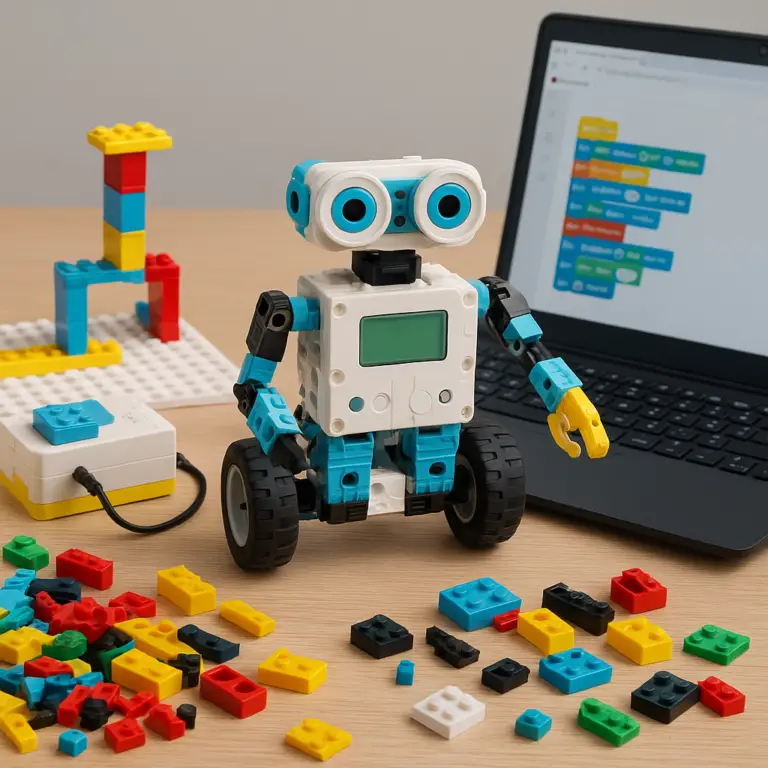
Tweens love the autonomy Mindstorms provides. They can move beyond the instructions and create “MOCs” (My Own Creations). We’ve seen teens build everything from guitar-playing robots to automated candy dispensers. The challenge lies in the sensors. Learning how to use the Ultrasonic sensor to avoid walls or the Color sensor to follow a line is where the real “Aha!” moments happen.
3. Can Younger Kids (Under 10) Enjoy LEGO Mindstorms? Tips and Tricks
“But my 8-year-old is a genius!” We hear you! 🙋♂️ If you want to start early, follow these steps:
- Step 1: The Pre-Build. You (the parent) might want to build the base “driving base” first. This allows the child to jump straight into the coding without getting frustrated by 500+ Technic pieces.
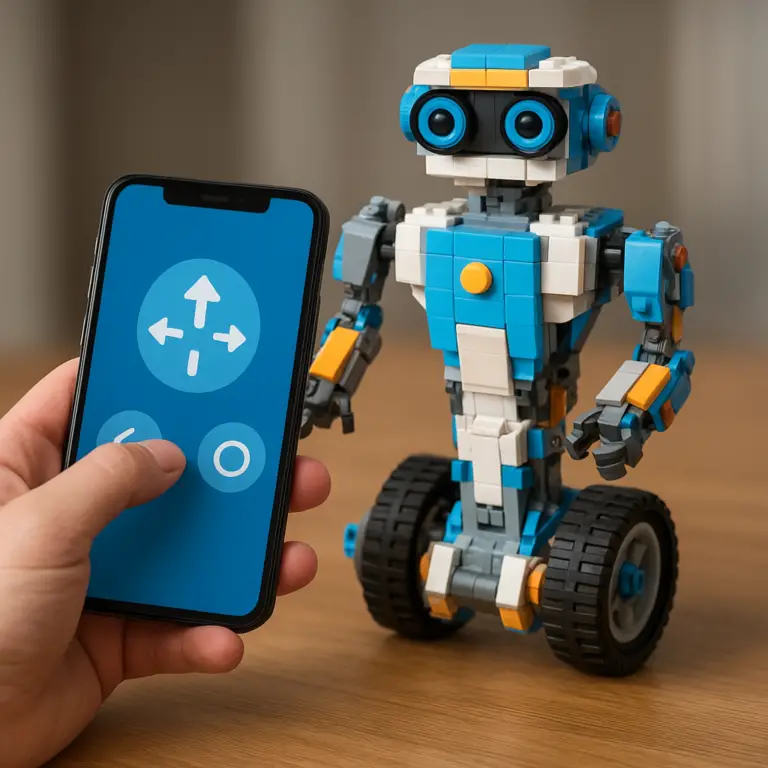
- Step 2: Remote Control Mode. Use the Mindstorms App to drive the robot like an RC car. This gets them excited about the hardware before they touch a single line of code.
- Step 3: Simple Loops. Teach them how to make the robot move in a square. It sounds simple, but it teaches them about timing and motor degrees.
❌ Don’t leave an 8-year-old alone with the box and expect a working robot in an hour. It will likely end in tears (and maybe a few lost pins).
4. Parental Involvement and Guidance: Making LEGO Mindstorms Fun and Educational
As noted by the ALSC, having an “experienced helper” makes a world of difference. You don’t need to be a NASA engineer, but you should be willing to learn alongside them.
Pro-Tip: Download the software before you give them the gift. Ensure your tablet or laptop is compatible. There’s nothing worse than a Christmas morning “Software Update” that takes three hours! 🎄💻
5. Real Stories: How LEGO Mindstorms Inspired Our Kids to Love Robotics
One of our team members, Sarah, bought an EV3 set for her 9-year-old son, Leo. At first, Leo was overwhelmed. But then, they found a project online for a LEGO Rubik’s Cube Solver. 🧩
Leo spent three weeks—yes, weeks!—tweaking the sensors and the “arm” that flips the cube. When the robot finally solved the cube in under 2 minutes, the look on his face was priceless. He didn’t just learn to code; he learned that persistence pays off. Today, Leo is in his high school robotics club, and it all started with those plastic bricks.
🧩 Integrating LEGO Mindstorms Into School and After-School Programs
Mindstorms is a staple in Educational Toys circles for a reason. Schools often use the Education Version, which comes with different software and curriculum packs.
If you are a teacher or a homeschool parent, consider grouping kids in teams of 2 or 3. This encourages “Pair Programming,” where one child builds and the other codes, then they swap. It teaches collaboration—a skill just as important as engineering!
💡 Creative Project Ideas for Different Age Groups Using LEGO Mindstorms
Need some inspiration? Here’s what we recommend based on age:
- Ages 7-9: “The Guard Dog.” Program the robot to bark (play a sound) and move forward whenever the motion sensor detects someone entering the room. 🐶
- Ages 10-12: “The Line Follower.” Use the color sensor to follow a black electrical tape path on the floor. This is a classic robotics challenge!
- Ages 13+: “The Remote Messenger.” Use Bluetooth to send messages from one robot to another, or create a robot that can be controlled via a smartphone gyro (tilt to steer).
🎯 Quick Tips for Maximizing Learning and Fun With LEGO Mindstorms
- Organize, Organize, Organize! Get a tackle box or a storage bin for the Technic pieces. If you lose the tiny black pins, the project stops.
- Use YouTube: There are thousands of tutorials. If you get stuck, someone has likely solved that exact problem on video.
- Check Compatibility: The newer Robot Inventor app works on iOS, Android, Windows, and Mac, but older Kindle Fires might struggle. Check the LEGO Device Guide first.
But wait… if LEGO retired Mindstorms, what happens if your software stops working? And is there a “secret” way to make these robots even smarter using parts from your other LEGO sets? We’ll reveal the future of LEGO robotics and our final verdict in the next section! 🤫
Conclusion
After our deep dive into the world of LEGO Mindstorms and its age suitability, here’s the bottom line from the Toy Brands™ team: LEGO Mindstorms is a powerhouse STEM toy best suited for kids aged 10 and up, but with the right support, younger kids (7-9) can absolutely join the fun.
Positives:
- Highly educational: Combines hands-on building with coding, fostering critical thinking and problem-solving.
- Versatile: Supports block coding and Python, appealing to beginners and advanced users alike.
- Durable and expandable: LEGO quality means these sets last for years and can be combined with other LEGO Technic parts.
- Community and resources: Tons of tutorials, challenges, and competitions like the First LEGO League.
Negatives:
- Complexity: The Technic-heavy builds can overwhelm younger or less experienced builders.
- Cost: These kits are an investment, and additional sensors or parts can add up.
- Software dependency: Requires compatible devices and some patience with setup.
If you’re a parent or educator ready to invest in a toy that grows with your child’s skills and curiosity, LEGO Mindstorms is a confident recommendation. It’s a gateway to real-world robotics and coding that can inspire a lifelong passion.
And to answer the lingering question: Yes, even though LEGO retired the Mindstorms brand, the Robot Inventor set and community support keep this platform alive and thriving. Plus, mixing Mindstorms with other LEGO sets unlocks endless creative possibilities. So, gear up, get building, and watch your kid’s imagination and skills soar! 🚀
Recommended Links for LEGO Mindstorms and STEM Toys
👉 Shop LEGO Mindstorms and Related STEM Toys:
-
LEGO Mindstorms Robot Inventor (51515):
Amazon | Walmart | LEGO Official Website -
LEGO Boost Creative Toolbox (17101):
Amazon | Walmart | LEGO Official Website
Recommended Books on Robotics and Coding for Kids:
-
“LEGO Mindstorms EV3 Discovery Book” by Laurens Valk — A fantastic guide for beginners to intermediate users.
Amazon Link -
“Coding Projects in Scratch” by Jon Woodcock — Great for younger kids starting block coding.
Amazon Link -
“Robot Building for Beginners” by David Cook — For teens and adults wanting to go beyond LEGO.
Amazon Link
FAQ: Your Burning Questions About LEGO Mindstorms Age Suitability Answered
How does LEGO Mindstorms compare to other STEM toys for various ages?
LEGO Mindstorms is more complex and versatile than many STEM toys targeted at younger kids, such as LEGO Boost or simpler coding robots like Dash & Dot. While Boost is excellent for ages 7-12 with simpler builds and coding, Mindstorms targets kids 10+ who want a deeper dive into robotics and programming. It bridges the gap between toy and serious STEM tool, making it ideal for tweens and teens who want to challenge themselves.
Is LEGO Mindstorms appropriate for teenagers and adults?
Absolutely! LEGO Mindstorms supports Python programming, which appeals to older kids and adults interested in real coding languages. Many hobbyists and educators use Mindstorms for prototyping and teaching robotics concepts. Its modular design and advanced sensors make it a great platform for continuous learning beyond childhood.
What skills do kids develop with LEGO Mindstorms?
Kids develop a wide range of skills, including:
- Mechanical engineering: Building complex structures with Technic parts.
- Programming and computational thinking: Writing code to control motors and sensors.
- Problem-solving and debugging: Iterating on designs and code to fix issues.
- Teamwork and communication: Especially in group or classroom settings.
- Creativity: Designing unique robots and projects beyond instructions.
Are there simpler LEGO robotics kits for younger kids?
Yes! LEGO Boost (7-12 years) and LEGO Education SPIKE Essential (6+) are designed for younger children with easier builds and more guided programming. These kits introduce robotics concepts in a more accessible way before graduating to Mindstorms.
How does LEGO Mindstorms benefit different age groups?
- 7-9 years: With adult help, kids learn basic building and remote control operation, sparking interest.
- 10-13 years: Ideal age for independent building and block-based programming, fostering STEM skills.
- 14+ years and adults: Advanced programming with Python, complex projects, and robotics competitions.
Can younger children use LEGO Mindstorms with adult supervision?
✅ Yes! Younger kids (7-9) can enjoy Mindstorms with a patient adult guiding them through building and coding. This can be a wonderful bonding experience and an early introduction to STEM.
What is the recommended age range for LEGO Mindstorms kits?
The official recommendation is 10 years and older, but tech-savvy kids as young as 7 can succeed with guidance. The complexity of Technic builds and programming concepts means younger kids might need more support.
Reference Links and Resources for LEGO Mindstorms Research
- LEGO Mindstorms Official Site: lego.com/mindstorms
- LEGO Mindstorms Robot Inventor Product Page: lego.com/robot-inventor
- TechAgeKids on LEGO Mindstorms Age Recommendations: techagekids.com
- ALSC Blog: LEGO Mindstorms for Tweens (Or How I Had to Give Myself a Crash Course in Robotics): alsc.ala.org
- LEGO Education EV3 Software and Curriculum: education.lego.com
- Code.org – Learn to Code: code.org
We hope this guide helps you unlock the amazing world of LEGO Mindstorms for your child or yourself. Ready to build the future? Let’s get those bricks clicking! 🧱🤖