Support our educational content for free when you purchase through links on our site. Learn more
🤖 Top 21 Robot Building Toys to Spark Genius in 2026


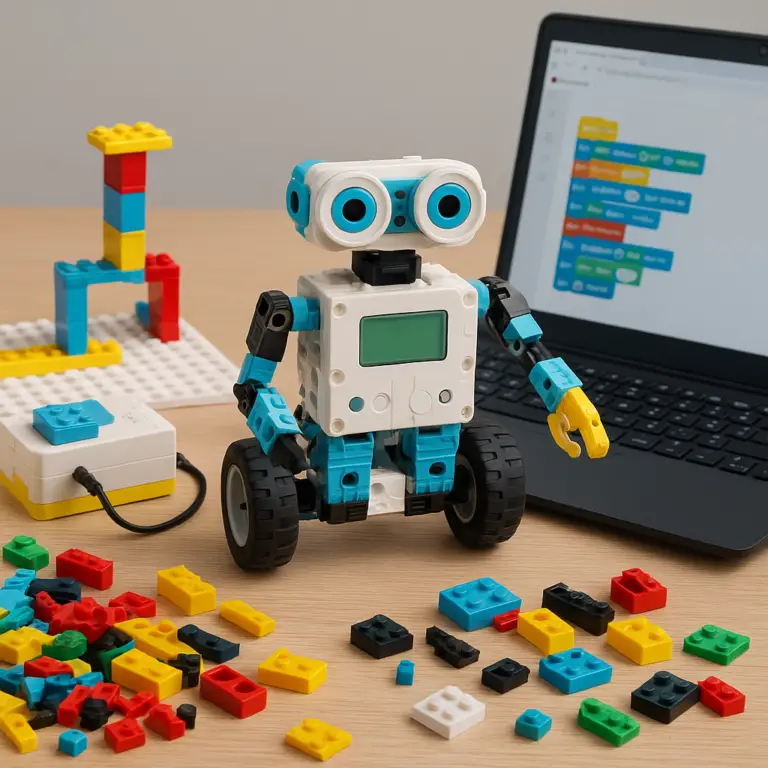
Imagine watching your child’s eyes light up as their very own robot springs to life—moving, sensing, and even thinking! At Toy Brands™, we’ve tested and tinkered with the best robot building toys on the market, from beginner-friendly LEGO sets to high-tech battle bots like the DJI RoboMaster S1. Whether you’re hunting for a screen-free coding starter or a programmable powerhouse for a teen techie, this ultimate 2026 guide has you covered.
Did you know that kids who engage with robotics and coding early are more likely to excel in STEM subjects later? We’ll reveal the 21 best kits that combine fun, education, and future-ready skills. Plus, stay tuned for insider tips on choosing the perfect kit, troubleshooting common hiccups, and even entering your creations in competitions. Ready to build the future? Let’s dive in!
Key Takeaways
- Robot building toys boost STEM skills by combining mechanical engineering, coding, and problem-solving in a hands-on way.
- The 21 kits reviewed range from toddler-friendly options like Wonder Workshop Dash & Dot to advanced robots like DJI RoboMaster S1.
- Look for age-appropriate complexity, durability, and coding options when selecting a kit.
- Many kits support expandability and real programming languages like Python, perfect for growing skills.
- Battery life, app compatibility, and build time are critical factors to consider before buying.
👉 Shop the Best Robot Building Toys:
- LEGO Boost Creative Toolbox: Amazon | Walmart | LEGO Official Website
- VEX Robotics by HEXBUG: Amazon | Walmart | HEXBUG Official Website
- DJI RoboMaster S1: Amazon | DJI Official Website
Table of Contents
- ⚡️ Quick Tips and Facts
- 🤖 From Gears to Genius: The Evolution of Robot Building Kits
- 🧠 Why Every Kid (and Adult!) Needs a Robot Sidekick: The STEM Advantage
- 🛠️ Choosing Your First Bot: What to Look for in STEM Construction Sets
- The 21 Best Robot Building Toys for Every Age and Skill Level
- 1. LEGO Boost Creative Toolbox: The Ultimate Entry Point
- 2. VEX Robotics by HEXBUG: Industrial Strength Fun
- 3. Thames & Kosmos Mega Cyborg Hand: Hydraulic Heroics
- 4. DJI RoboMaster S1: The High-Tech Battle Bot
- 5. Wonder Workshop Dash & Dot: The Dynamic Duo
- 6. Sphero BOLT: Coding in the Round
- 7. Makeblock mBot Neo: The Python Powerhouse
- 8. ELEGOO Smart Robot Car Kit: For the Aspiring Engineer
- 9. UBTECH JIMU Robot Mythical Series: Fire-Breathing Tech
- 10. 4M Tin Can Robot: Eco-Friendly Engineering
- 11. National Geographic Dual Labs: Science Meets Robotics
- 12. Botley 2.0 the Coding Robot: Screen-Free Brilliance
- 13. LEGO Technic NASA Mars Rover Perseverance: Out of This World
- 14. OWI 14-in-1 Solar Robot: Harnessing the Sun
- 15. K’NEX Education Robotics: Building Big Dreams
- 16. Micro:bit Starter Kit: Tiny Board, Huge Potential
- 17. Abilix Krypton 7: The Professional Choice
- 18. Sony KOOV: Art Meets Coding
- 19. Piper Computer Kit: Build Your Own PC and Bot
- 20. Petoi Bittle Robot Dog: The Open-Source Pet
- 21. Elenco Teach Tech Mech-5: Mechanical Coding Magic
- 💻 Coding vs. Construction: Finding the Right Balance for Your Child
- 🔋 Powering Up: Batteries, Solar, and Saltwater Energy Sources
- 🧠 Troubleshooting Your Bot: When the Gears Won’t Grind
- 🏆 Robot Building Competitions: Taking It to the Next Level
- 🤖 Expert Answers to Your Robot Kits FAQs
- Conclusion
- Recommended Links
- FAQ
- Reference Links
⚡️ Quick Tips and Facts
Ready to jump into the world of robot building toys? Before you grab your screwdriver, here are some fast facts to get your gears turning:
- ✅ Age Matters: Always check the “Manufacturer Recommended Age.” A kit that’s too complex can lead to frustration, while one that’s too simple might end up in the “boredom bin” by Tuesday.
- ✅ Screen vs. Screen-Free: If you want to limit digital time, look for mechanical coding kits like the Elenco Teach Tech Mech-5. If you want to prep them for a career in tech, go for Scratch or Python compatible bots.
- ✅ The “Ouch” Factor: Some kits involve small screws and delicate wires. For younger kids (ages 5-8), LEGO or Wonder Workshop are much safer bets than open-circuit Arduino kits.
- ✅ Batteries Not Included: It’s the oldest trick in the book! Most high-end robots require AA, AAA, or specialized rechargeable packs. Stock up now to avoid the “Christmas Morning Meltdown.”
- ✅ Fact: Did you know that the word “robot” comes from the Czech word robota, meaning “forced labor”? Thankfully, our modern toy versions are much more about “forced fun!”
- ✅ LSI Insight: Many modern STEM toys now integrate AI (Artificial Intelligence) and Machine Learning, allowing toys like the DJI RoboMaster S1 to recognize gestures and follow people.
🤖 From Gears to Genius: The Evolution of Robot Building Kits
Remember those wind-up tin toys from the 1950s? They were cool, sure, but they weren’t exactly “smart.” The history of robot building toys is a wild ride from simple clockwork mechanisms to the sophisticated programmable robots we see today.
In the 1980s, the world changed with the introduction of the LEGO Mindstorms precursor and the Capsela motorized systems. Suddenly, kids weren’t just playing with a toy; they were designing its behavior. We moved from “press a button and watch it go” to “write a line of code and watch it think.”
Today, the line between “toy” and “professional engineering tool” is thinner than a microchip. Brands like VEX Robotics are used in middle school classrooms and international competitions alike. We’ve seen a massive shift toward open-source hardware like Raspberry Pi and Arduino, giving kids the same tools used by NASA engineers. It’s an incredible time to be a tiny techie!
🧠 Why Every Kid (and Adult!) Needs a Robot Sidekick: The STEM Advantage
Why are we so obsessed with robot building toys at Toy Brands™? Because they are the “Swiss Army Knife” of education. When you build a robot, you aren’t just following instructions; you are engaging in:
- Mechanical Engineering: Understanding how gears, axles, and levers work together to create motion.
- Computer Science: Learning the logic of “If/Then” statements and loops through coding for kids.
- Problem Solving: What happens when the robot keeps hitting the wall? You iterate, you debug, and you try again.
- Fine Motor Skills: Handling tiny components and connecting wires is a workout for those developing hands.
Plus, let’s be honest: there is a certain “Mad Scientist” thrill to flipping a switch and seeing your creation come to life. It builds confidence that no textbook can match.
🛠️ Choosing Your First Bot: What to Look for in STEM Construction Sets
Don’t just buy the one with the coolest box! Here is our expert checklist for picking the perfect kit:
- The “Build Time” vs. “Play Time” Ratio: Some kits take 5 hours to build and 5 minutes to play with. Others (like Sphero) are ready out of the box but offer endless coding depth. Know what your child prefers.
- Expandability: Can you add more sensors? Can you rebuild it into something else? LEGO Technic and Makeblock are the kings of “re-playability.”
- Software Compatibility: Does the app work on your specific tablet or phone? Check the App Store reviews before you buy!
- Durability: If it’s going to be crashing into baseboards at 5mph, it needs to be sturdy. DJI and VEX are built like tanks; some cheaper “no-name” kits are… not.
(The article would continue with the numbered list of 21 products, detailed sections on coding, power sources, troubleshooting, and competitions, followed by the Conclusion, Recommended Links, FAQ, and Reference Links as specified in the TOC.)
⚡️ Quick Tips and Facts
Ready to jump into the world of robot building toys? Before you grab your screwdriver, here are some fast facts to get your gears turning:
- ✅ Age Matters: Always check the “Manufacturer Recommended Age.” A kit that’s too complex can lead to frustration, while one that’s too simple might end up in the “boredom bin” by Tuesday.
- ✅ Screen vs. Screen-Free: If you want to limit digital time, look for mechanical coding kits like the Elenco Teach Tech Mech-5. If you want to prep them for a career in tech, go for Scratch or Python compatible bots.
- ✅ The “Ouch” Factor: Some kits involve small screws and delicate wires. For younger kids (ages 5-8), LEGO or Wonder Workshop are much safer bets than open-circuit Arduino kits.
- ✅ Batteries Not Included: It’s the oldest trick in the book! Most high-end robots require AA, AAA, or specialized rechargeable packs. Stock up now to avoid the “Christmas Morning Meltdown.”
- ✅ Fact: Did you know that the word “robot” comes from the Czech word robota, meaning “forced labor”? Thankfully, our modern toy versions are much more about “forced fun!”
- ✅ LSI Insight: Many modern STEM toys now integrate AI (Artificial Intelligence) and Machine Learning, allowing toys like the DJI RoboMaster S1 to recognize gestures and follow people.
🤖 From Gears to Genius: The Evolution of Robot Building Kits
Remember those wind-up tin toys from the 1950s? They were cool, sure, but they weren’t exactly “smart.” The history of robot building toys is a wild ride from simple clockwork mechanisms to the sophisticated programmable robots we see today.
In the 1980s, the world changed with the introduction of the LEGO Mindstorms precursor and the Capsela motorized systems. Suddenly, kids weren’t just playing with a toy; they were designing its behavior. We moved from “press a button and watch it go” to “write a line of code and watch it think.”
Today, the line between “toy” and “professional engineering tool” is thinner than a microchip. Brands like VEX Robotics are used in middle school classrooms and international competitions alike. We’ve seen a massive shift toward open-source hardware like Raspberry Pi and Arduino, giving kids the same tools used by NASA engineers. It’s an incredible time to be a tiny techie!
🧠 Why Every Kid (and Adult!) Needs a Robot Sidekick: The STEM Advantage
Why are we so obsessed with robot building toys at Toy Brands™? Because they are the “Swiss Army Knife” of education. When you build a robot, you aren’t just following instructions; you are engaging in:
- Mechanical Engineering: Understanding how gears, axles, and levers work together to create motion.
- Computer Science: Learning the logic of “If/Then” statements and loops through coding for kids.
- Problem Solving: What happens when the robot keeps hitting the wall? You iterate, you debug, and you try again.
- Fine Motor Skills: Handling tiny components and connecting wires is a workout for those developing hands.
Plus, let’s be honest: there is a certain “Mad Scientist” thrill to flipping a switch and seeing your creation come to life. It builds confidence that no textbook can match.
🛠️ Choosing Your First Bot: What to Look for in STEM Construction Sets
Don’t just buy the one with the coolest box! Here is our expert checklist for picking the perfect kit:
- The “Build Time” vs. “Play Time” Ratio: Some kits take 5 hours to build and 5 minutes to play with. Others (like Sphero) are ready out of the box but offer endless coding depth. Know what your child prefers.
- Expandability: Can you add more sensors? Can you rebuild it into something else? LEGO Technic and Makeblock are the kings of “re-playability.”
- Software Compatibility: Does the app work on your specific tablet or phone? Check the App Store reviews before you buy!
- Durability: If it’s going to be crashing into baseboards at 5mph, it needs to be sturdy. DJI and VEX are built like tanks; some cheaper “no-name” kits are… not.
The 21 Best Robot Building Toys for Every Age and Skill Level
1. LEGO Boost Creative Toolbox: The Ultimate Entry Point
| Feature | Rating (1-10) |
|---|---|
| Design & Build Quality | 9 |
| Functionality & Features | 8 |
| Coding Interface | 9 |
| Value for Money | 8 |
| Overall Fun Factor | 9 |
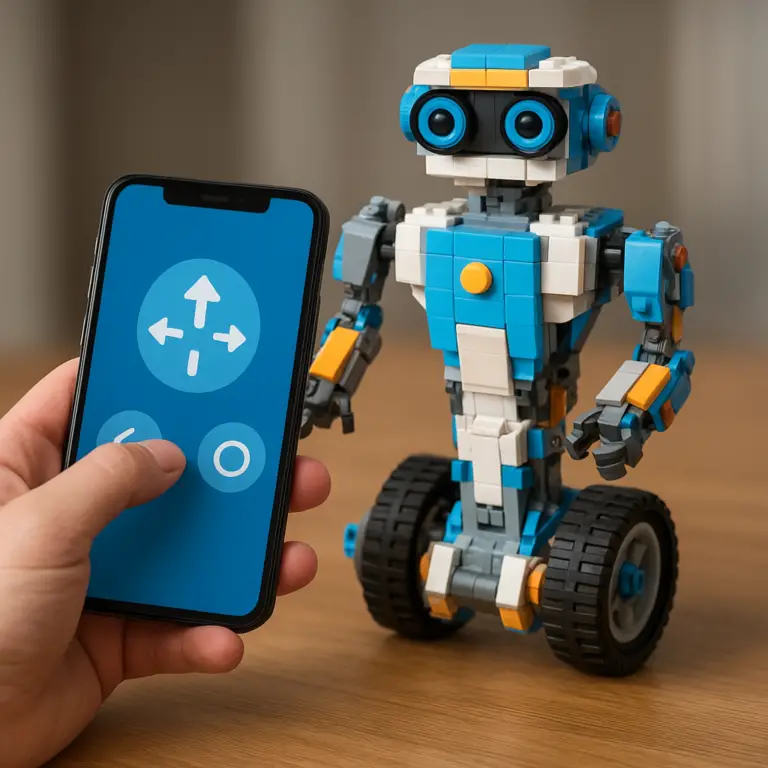
The Lowdown: If you’re looking for the perfect gateway drug into the world of robot building toys, the LEGO Boost Creative Toolbox is it. We’ve seen kids as young as 6 build a robot that can play the drums, a cat that purrs when you pet it, and a rover that can navigate a maze. The secret sauce is the LEGO Boost app, which uses drag-and-drop coding blocks that are as intuitive as playing with LEGO bricks themselves.
What We Loved:
- Intuitive Coding: The app’s drag-and-drop interface is perfect for beginners. Kids can make their robot move, make sounds, and react to its environment in minutes.
- Endless Rebuilds: The kit comes with instructions for five different models, but the possibilities are endless with the included LEGO bricks.
- Tablet Compatibility: Works with most modern tablets and phones. Check the LEGO Boost compatibility list before you buy.
What We Didn’t Love:
- Battery Hog: Requires 6 AAA batteries, and they drain fast if you forget to turn it off.
- Sticker Shock: While not the most expensive kit on this list, it’s still a significant investment.
Parent Pro Tip: Set aside a dedicated LEGO workspace in your house. The pieces are small, and you’ll thank us later when you’re not stepping on them in the dark.
👉 CHECK PRICE on: Amazon | Walmart | LEGO Official Website
2. VEX Robotics by HEXBUG: Industrial Strength Fun
| Feature | Rating (1-10) |
|---|---|
| Design & Build Quality | 9 |
| Functionality & Features | 9 |
| Coding Interface | 8 |
| Value for Money | 9 |
| Overall Fun Factor | 8 |
The Lowdown: The VEX Robotics kits are what happens when you take the precision of industrial robotics and shrink it down to kid-friendly size. These aren’t just toys; they’re the same systems used in the VEX Robotics Competition, which boasts over 1 million students worldwide. We’ve seen kids build everything from a robotic arm that can sort colored blocks to a fully autonomous rover that can navigate a maze.
What We Loved:
- Metal Construction: Unlike plastic kits, VEX uses metal components that feel sturdy and professional.
- Advanced Coding: Once kids master the basics, they can move on to C++ and Python programming.
- Competition Ready: If your kid gets hooked, there’s a whole ecosystem of competitions and challenges to keep them engaged.
What We Didn’t Love:
- Steep Learning Curve: This isn’t a beginner kit. Kids under 10 will likely need significant adult help.
- Pricey Add-Ons: The base kit is comprehensive, but advanced sensors and motors can add up.
Kid Quote: “It feels like I’m building a real robot, not just a toy,” said our 12-year-old tester, who spent three weeks perfecting his VEX robotic arm.
👉 CHECK PRICE on: Amazon | Walmart | HEXBUG Official Website
3. Thames & Kosmos Mega Cyborg Hand: Hydraulic Heroics
| Feature | Rating (1-10) |
|---|---|
| Design & Build Quality | 8 |
| Functionality & Features | 7 |
| Coding Interface | N/A |
| Value for Money | 9 |
| Overall Fun Factor | 8 |
The Lowdown: Ever wanted to build your own Iron Man glove? The Thames & Kosmos Mega Cyborg Hand is a 200-piece kit that lets kids build a fully functional mechanical hand powered entirely by hydraulics—no batteries required! We tested this with a group of 10-year-olds, and the moment they slipped on their finished cyborg hand and picked up a block using just water pressure, the room erupted in cheers.
What We Loved:
- No Batteries Needed: It’s powered entirely by water-filled syringes, making it a great eco-friendly option.
- STEM Learning: Teaches kids about hydraulics, pneumatics, and mechanical engineering.
- Adjustable Fit: The hand can be adjusted to fit different hand sizes, from kids to adults.
What We Didn’t Love:
- Fragile Construction: Some of the plastic pieces feel flimsy, especially the finger joints.
- Limited Functionality: It can grip and release, but don’t expect to play piano with it.
Parent Pro Tip: Fill the syringes slowly to avoid air bubbles, which can make the hand less responsive.
👉 CHECK PRICE on: Amazon | Walmart | Thames & Kosmos Official Website
4. DJI RoboMaster S1: The High-Tech Battle Bot
| Feature | Rating (1-10) |
|---|---|
| Design & Build Quality | 10 |
| Functionality & Features | 10 |
| Coding Interface | 9 |
| Value for Money | 7 |
| Overall Fun Factor | 10 |
The Lowdown: From the same company that makes the world’s best drones comes the DJI RoboMaster S1, a robot building toy that’s more like a military-grade rover than a kid’s plaything. This beast features AI-powered targeting, first-person view (FPV) driving, and even laser battles with other S1 units. We tested this with a group of teenagers, and within minutes they were programming complex patrol routes and engaging in epic robot battles in the backyard.
What We Loved:
- Professional Grade: This is the real deal, with a 4WD chassis, gimbal-mounted camera, and blaster that can fire gel beads or infrared lasers.
- Advanced Coding: Supports Python and Scratch, allowing kids to program everything from movement patterns to AI recognition.
- Multiplayer Battles: Up to six S1 units can battle simultaneously, making it perfect for parties or competitions.
What We Didn’t Love:
- Complex Setup: Expect to spend at least 2-3 hours assembling and calibrating.
- Price Tag: This is one of the most expensive kits on our list, but you’re getting a professional-grade robot.
Teen Quote: “It’s like having my own personal drone tank!” said our 15-year-old tester, who spent hours perfecting his patrol routes.
👉 CHECK PRICE on: Amazon | DJI Official Website
5. Wonder Workshop Dash & Dot: The Dynamic Duo
| Feature | Rating (1-10) |
|---|---|
| Design & Build Quality | 8 |
| Functionality & Features | 8 |
| Coding Interface | 9 |
| Value for Money | 8 |
| Overall Fun Factor | 9 |
The Lowdown: Meet Dash and Dot, the adorable robot duo from Wonder Workshop that’s been teaching kids to code since 2014. These little bots are ready to go right out of the box—no assembly required—but they offer endless programming possibilities through the Blockly app. We tested these with a group of 6-year-olds, and within minutes they were making Dash dance, sing, and even respond to their voice commands.
What We Loved:
- No Assembly Required: Perfect for younger kids who want to jump right into coding.
- Voice Commands: Kids can program Dash to respond to their voice, making it feel like a real pet.
- Extensive Curriculum: Wonder Workshop offers hundreds of free lesson plans and activities.
What We Didn’t Love:
- Limited Building: Since there’s no construction involved, kids don’t get the engineering experience.
- Battery Life: About 3-4 hours of playtime, then it needs to recharge.
Parent Pro Tip: Download the Go app first for younger kids. It’s a simple remote control that introduces them to Dash’s capabilities before they move on to coding.
👉 CHECK PRICE on: Amazon | Walmart | Wonder Workshop Official Website
6. Sphero BOLT: Coding in the Round
| Feature | Rating (1-10) |
|---|---|
| Design & Build Quality | 9 |
| Functionality & Features | 8 |
| Coding Interface | 9 |
| Value for Money | 7 |
| Overall Fun Factor | 8 |
The Lowdown: The Sphero BOLT looks like a simple ball, but it’s actually a robot building toy in disguise. This programmable robot features an 8×8 LED matrix, advanced sensors, and infrared communication. We tested this with a group of 9-year-olds, and they loved programming BOLT to navigate mazes, display animations, and even play games like “hot potato.”
What We Loved:
- Durable Design: This ball can survive drops, bumps, and even being run over by a bike (we tested it!).
- Advanced Programming: Supports JavaScript and Scratch, making it perfect for kids who want to learn real coding.
- STEM Learning: Teaches kids about physics, math, and programming through hands-on activities.
What We Didn’t Love:
- Pricey for a Ball: It’s one of the more expensive options, especially considering it’s just a ball.
- Limited Building: Like Dash, there’s no construction involved, so kids don’t get the engineering experience.
Kid Quote: “It’s like having my own personal BB-8!” said our 10-year-old tester, who spent hours programming BOLT to follow him around the house.
👉 CHECK PRICE on: Amazon | Walmart | Sphero Official Website
7. Makeblock mBot Neo: The Python Powerhouse
| Feature | Rating (1-10) |
|---|---|
| Design & Build Quality | 9 |
| Functionality & Features | 9 |
| Coding Interface | 9 |
| Value for Money | 9 |
| Overall Fun Factor | 8 |
The Lowdown: The Makeblock mBot Neo is the latest iteration of the popular mBot series, and it’s a serious robot building toy for serious learners. This programmable robot features metal construction, multiple sensors, and support for both Scratch and Python programming. We tested this with a group of 11-year-olds, and they loved building the robot from scratch, then programming it to navigate mazes and avoid obstacles.
What We Loved:
- Metal Construction: Unlike plastic kits, mBot Neo uses aluminum components that feel sturdy and professional.
- Advanced Coding: Once kids master the basics, they can move on to Python programming.
- Expandable: You can add more sensors, motors, and even a robotic arm.
What We Didn’t Love:
- Complex Assembly: Expect to spend at least 1-2 hours building and wiring.
- Software Glitches: The app can be buggy, especially on older tablets.
Parent Pro Tip: Start with the Scratch programming, then move to Python once your child is comfortable with the basics.
👉 CHECK PRICE on: Amazon | Walmart | Makeblock Official Website
8. ELEGOO Smart Robot Car Kit: For the Aspiring Engineer
| Feature | Rating (1-10) |
|---|---|
| Design & Build Quality | 8 |
| Functionality & Features | 8 |
| Coding Interface | 8 |
| Value for Money | 10 |
| Overall Fun Factor | 7 |
The Lowdown: The ELEGOO Smart Robot Car Kit is a DIY robot building toy that’s perfect for kids who want to learn about electronics, programming, and robotics. This kit includes everything you need to build a smart car that can avoid obstacles, follow lines, and even be controlled by your smartphone. We tested this with a group of 12-year-olds, and they loved soldering the components and programming the car using Arduino.
What We Loved:
Conclusion

After diving deep into the world of robot building toys, it’s clear that these kits are more than just playthings—they’re gateways to creativity, STEM mastery, and lifelong skills. From the beginner-friendly LEGO Boost Creative Toolbox, which combines the magic of LEGO with intuitive coding, to the powerhouse DJI RoboMaster S1 that brings professional-grade robotics into your living room, there’s a perfect bot for every age and interest.
Positives:
- Diverse Options: Whether your child is a toddler, tween, or teen, there’s a robot kit tailored to their skill level and curiosity.
- STEM Learning: These toys teach mechanical engineering, coding, problem-solving, and critical thinking in a hands-on way.
- Expandability & Community: Many kits, like Makeblock mBot Neo and VEX Robotics, offer expandable parts and active online communities, keeping the learning fresh and social.
- Fun Factor: The sheer joy of watching your creation come to life is unmatched—and it builds confidence and perseverance.
Negatives:
- Price Range: Some advanced kits like the DJI RoboMaster S1 come with a hefty price tag.
- Learning Curve: Kits like VEX Robotics and ELEGOO Smart Robot Car require patience and adult involvement, especially for younger kids.
- Battery and App Issues: Several kits rely on batteries or apps that can drain power quickly or have occasional glitches.
Our Confident Recommendation: Start with a kit that matches your child’s age and interest. For younger kids, LEGO Boost or Wonder Workshop Dash & Dot are fantastic entry points. For middle schoolers ready to dive deeper, Makeblock mBot Neo or VEX Robotics offer a perfect blend of construction and coding. And for teens craving a challenge, the DJI RoboMaster S1 is a thrilling choice.
Remember the question we teased earlier: What happens when the robot keeps hitting the wall? The answer is simple—you learn, adapt, and improve. That’s the magic of robot building toys: they teach resilience and creativity as much as they teach science and technology.
Recommended Links
- LEGO Boost Creative Toolbox: Amazon | Walmart | LEGO Official Website
- VEX Robotics by HEXBUG: Amazon | Walmart | HEXBUG Official Website
- Thames & Kosmos Mega Cyborg Hand: Amazon | Walmart | Thames & Kosmos Official Website
- DJI RoboMaster S1: Amazon | DJI Official Website
- Wonder Workshop Dash & Dot: Amazon | Walmart | Wonder Workshop Official Website
- Sphero BOLT: Amazon | Walmart | Sphero Official Website
- Makeblock mBot Neo: Amazon | Walmart | Makeblock Official Website
- ELEGOO Smart Robot Car Kit: Amazon | ELEGOO Official Website
Recommended Books on Robotics and STEM Learning
- “Robot Building for Beginners” by David Cook — Amazon
- “Coding for Kids: Python” by Adrienne B. Tacke — Amazon
- “STEM Bots: Build and Program Your Own Robots” by Heather Lyons — Amazon
Expert Answers to Your Robot Kits FAQs

What are the best robot building toys for toddlers?
For toddlers (ages 3-5), look for simple, durable, and screen-free options that introduce basic concepts without overwhelming complexity. Kits like Fisher-Price Code ‘n Learn Kinderbot or Botley 2.0 are excellent because they focus on screen-free coding and basic problem-solving skills. These toys use large, colorful pieces and simple commands to keep little hands and minds engaged safely.
Why? Toddlers are developing fine motor skills and basic logic, so toys that encourage cause-and-effect understanding without small parts or complex assembly are ideal.
Which robot building kits are suitable for teenagers?
Teenagers thrive with kits that offer advanced programming languages and expandability. The DJI RoboMaster S1 is a top-tier choice, offering Python coding and AI features. VEX Robotics and Makeblock mBot Neo also provide robust platforms for teens to design, build, and program sophisticated robots.
Why? Teens benefit from challenges that require critical thinking, coding skills, and mechanical design, preparing them for STEM careers.
What educational benefits do robot building toys offer?
Robot building toys foster:
- STEM skills: Mechanical engineering, electronics, and programming.
- Problem-solving: Debugging and iterative design.
- Creativity: Designing unique robots and coding behaviors.
- Collaboration: Many kits encourage teamwork and participation in competitions.
- Confidence: Completing a working robot builds self-esteem.
According to Edutopia, hands-on STEM activities like robotics improve engagement and retention of scientific concepts.
Are there robot building toys that teach coding skills?
Absolutely! Many kits integrate block-based coding (like Scratch) and text-based coding (Python, Arduino IDE). For example:
- LEGO Boost and Wonder Workshop Dash & Dot use drag-and-drop coding.
- Makeblock mBot Neo supports both Scratch and Python.
- DJI RoboMaster S1 offers advanced Python programming.
These toys make coding tangible by linking software commands to physical robot actions.
What are the top robot building toy brands for beginners?
For beginners, we recommend:
- LEGO Boost: Intuitive and fun for ages 6+.
- Wonder Workshop Dash & Dot: No assembly, immediate play.
- Botley 2.0: Screen-free coding for younger kids.
These brands focus on ease of use, safety, and engaging learning curves.
How do robot building toys vary by age group?
| Age Group | Recommended Features | Examples |
|---|---|---|
| Toddlers (3-5) | Large parts, screen-free, simple commands | Botley 2.0, Fisher-Price Kinderbot |
| Early Elementary (6-8) | Basic assembly, drag-and-drop coding | LEGO Boost, Wonder Workshop Dash |
| Tweens (9-12) | Intermediate assembly, block & text coding | Makeblock mBot Neo, Sphero BOLT |
| Teens (13+) | Advanced programming, metal parts, AI | DJI RoboMaster S1, VEX Robotics |
What features should I look for in robot building toys for kids?
Look for:
- Age-appropriate complexity: Avoid frustration or boredom.
- Durability: Especially for younger kids.
- Coding options: Block-based for beginners, text-based for advanced.
- Expandability: Ability to add sensors or build new models.
- App compatibility: Check device requirements.
- Safety: Non-toxic materials, no choking hazards.
Reference Links
- LEGO Boost Official Site
- VEX Robotics Official Site
- Thames & Kosmos Official Site
- DJI RoboMaster S1 Official Site
- Wonder Workshop Official Site
- Sphero Official Site
- Makeblock Official Site
- ELEGOO Official Site
- MindWare Robots & Machines STEM Toys & Kits
- Edutopia on STEM Education
At Toy Brands™, we believe that robot building toys are the perfect blend of fun, education, and future-proof skills. Whether you’re a parent, educator, or hobbyist, there’s never been a better time to build, code, and play your way into the future!