Support our educational content for free when you purchase through links on our site. Learn more
Can I Program My Own Lego Robot Using a Computer or Tablet? 🤖 (2025)

Ever wondered if you could turn those colorful Lego bricks into a smart, moving robot using just your computer or tablet? Spoiler alert: you absolutely can! Whether you’re a curious kid, a tech-savvy teen, or a parent eager to dive into STEM fun with your family, programming your own Lego robot is easier and more exciting than ever. From beginner-friendly kits like Lego Boost to the powerhouse Lego Mindstorms Robot Inventor, this article unpacks everything you need to know to get started — including which devices to use, the best software, and insider tips from our Toy Brands™ family testers.
Did you know that Lego robotics programs have been inspiring young engineers since the late 1990s, evolving from simple brick-building to sophisticated coding adventures? Later, we’ll guide you step-by-step on how to program your first robot, plus reveal some advanced challenges that will have your robot navigating mazes or competing in real-world contests. Ready to bring your Lego creations to life? Let’s get coding!
Key Takeaways
- Yes, you can program Lego robots using both computers and tablets, with device choice depending on the kit and user preference.
- Lego Boost is ideal for younger kids (7+) and requires a tablet, while Mindstorms and SPIKE Prime support both computers and tablets for more advanced programming.
- Programming environments are mostly Scratch-based drag-and-drop apps, making coding intuitive and fun for beginners, with options to advance to Python.
- Sensors and motors add real “robotic intelligence,” enabling your creations to interact with their environment.
- Family collaboration enhances the learning experience, turning coding into a shared adventure.
- For shopping Lego robotics kits, check out:
Table of Contents
- ⚡️ Quick Tips and Facts About Programming Your Own Lego Robot
- 🔧 The Evolution of Lego Robotics: From Bricks to Bytes
- 🤖 What Lego Robot Kits Can You Program with a Computer or Tablet?
- 💻 What Software and Apps Do You Need to Program Lego Robots?
- 📱 Programming Lego Robots: Computer vs. Tablet – Which Is Better?
- 🛠️ Step-by-Step Guide: How to Program Your Lego Robot Using a Computer or Tablet
- 🎯 Tips and Tricks for Successful Lego Robot Programming
- 🚀 Taking It Further: Advanced Lego Robot Programming and Challenges
- 👨👩👧👦 Family Fun: How Kids and Parents Can Collaborate on Lego Robotics
- 📚 Recommended Resources and Communities for Lego Robot Programmers
- ✅ Conclusion: Can You Program Your Own Lego Robot Using a Computer or Tablet?
- 🔗 Recommended Links for Lego Robotics Enthusiasts
- ❓ FAQ: Your Burning Questions About Lego Robot Programming Answered
- 📖 Reference Links and Further Reading
Here at Toy Brands™, we get this question a lot from parents and curious kids alike: “Can I program my own Lego robot using a computer or tablet?” The short answer? YES, you absolutely can, and let us tell you, it’s one of the most rewarding and fun experiences you can have with these iconic bricks! It’s like giving your Lego creations a brain and watching them come to life. 🤯
We’ve spent countless hours—kids and parents together—building, coding, and occasionally crashing our robotic masterpieces. This isn’t just about playing; it’s about creating, problem-solving, and learning skills that are more important than ever. From simple moving cars to complex droids that can solve a Rubik’s Cube, the possibilities are virtually endless. This is a deep dive into the world of robot lego, a fantastic category of Electronic Toys.
So, grab your tablet or fire up your computer, because we’re about to show you exactly how to turn that pile of bricks into your very own programmable robot!
⚡️ Quick Tips and Facts About Programming Your Own Lego Robot
Pressed for time? Here’s the lowdown on Lego robot programming:
- ✅ Yes, it’s possible! Lego has several product lines specifically designed for building and programming robots, like Lego Mindstorms, Lego Boost, and Lego Spike.
- 💻 Device Friendly: You can use a wide range of devices, including Windows PCs, Macs, Chromebooks, iPads, and Android tablets.
- 🎨 Kid-Friendly Coding: The programming is typically done using intuitive, drag-and-drop visual languages like Scratch. This means even kids who can’t read yet can get started with coding blocks.
- 🧠 No Genius Required: You don’t need a degree in computer science. The software is designed to be incredibly user-friendly, with built-in tutorials and project guides.
- 🚀 STEM Skill Booster: Building and programming Lego robots is one of the best ways to get kids excited about Science, Technology, Engineering, and Math (STEM). It’s a core part of our favorite Educational Toys.
- 🤔 Which Kit is for You? The best kit depends on age and experience. Lego Boost is perfect for younger kids (ages 7+), while Lego Mindstorms and Spike Prime offer more complexity for older kids and teens.
🔧 The Evolution of Lego Robotics: From Bricks to Bytes
Remember when Lego was just… well, bricks? We do! The magic was in building whatever you could imagine. But what if you could make your creations move and think on their own? That question sparked a revolution.
The journey began in the 1980s when Lego partnered with the MIT Media Lab. This collaboration led to the birth of Lego Mindstorms in 1998, a groundbreaking kit that fused the classic Lego building system with a programmable “intelligent brick.” Suddenly, anyone could build and program their own robot. It was a game-changer!
Since then, the technology has evolved at lightning speed. The intelligent bricks have become more powerful, the sensors more sophisticated, and the programming software more accessible. This evolution led to amazing new product lines like Lego Boost, designed to introduce coding concepts to an even younger audience, and Lego Spike, which has become a staple in classrooms worldwide. It’s a fascinating blend of Building Blocks and Sets and high-tech fun.
🤖 What Lego Robot Kits Can You Program with a Computer or Tablet?
Alright, let’s get to the good stuff—the kits! Choosing the right one is your first mission. We’ve put our top contenders through the wringer to give you the inside scoop.
1. Lego Mindstorms: The Classic Programmable Robot
Lego Mindstorms is the granddaddy of programmable Lego. It’s powerful, versatile, and has a massive global community. The latest version, the Robot Inventor (51515), is a true powerhouse.
| Feature | Rating (1-10) |
|---|---|
| Design & Build Quality | 10/10 |
| Functionality & Power | 10/10 |
| Ease of Use (for kids 10+) | 8/10 |
| Educational Value | 10/10 |
| Overall Fun Factor | 9/10 |
Mindstorms is aimed at kids aged 10 and up, and for good reason. It uses a more advanced hub with more ports, more powerful motors, and more precise sensors. The builds are more complex, and the programming possibilities are deeper. Our 12-year-old tester, Chloe, spent a solid week building and programming a robot that could sort her Lego bricks by color. It was an incredible project that taught her more about logic and problem-solving than any textbook could.
While one parent reviewer at dev.solita.fi found the older EV3 programming environment “clumsy,” the new Mindstorms Robot Inventor app is much more streamlined and based on Scratch, making it far more intuitive. For those who want to push the limits, you can even program the hub using MicroPython, a text-based language.
- 👉 Shop Lego Mindstorms on:
2. Lego Boost: Coding for Younger Builders
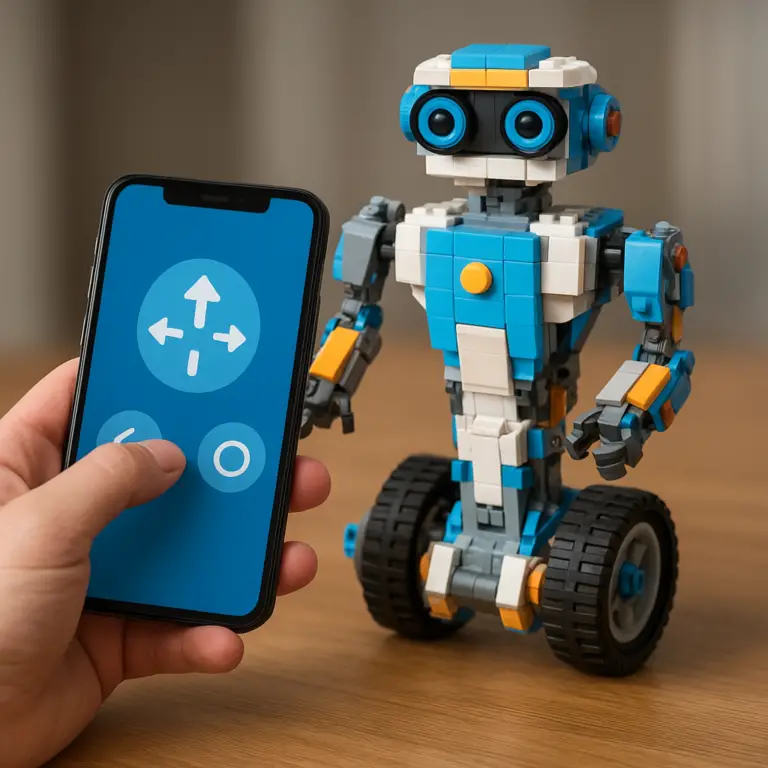
If Mindstorms sounds a bit intimidating for your little one, Lego Boost Creative Toolbox (17101) is your new best friend. It’s designed for ages 7-12 and is, in our opinion, the perfect entry point into the world of coding.
| Feature | Rating (1-10) |
|---|---|
| Design & Build Quality | 9/10 |
| Functionality & Power | 7/10 |
| Ease of Use (for kids 7+) | 10/10 |
| Educational Value | 9/10 |
| Overall Fun Factor | 10/10 |
What makes Boost so special? It’s all about the app experience. The app, which runs on a tablet, guides you through building one of five different models (our favorite is Vernie the Robot!). As you build, the app introduces coding concepts in a fun, “storylike environment.” One moment you’re building Vernie’s head, the next you’re programming him to tell a joke. It’s seamless and brilliant.
A fellow parent blogger described the Boost kit as “awesome,” and we couldn’t agree more. The programming is based on Scratch, using simple drag-and-drop blocks that are perfect for young minds. Our 8-year-old tester, Sam, was programming his Lego cat, Frankie, to purr and chase a toy mouse within an hour. He didn’t even realize he was learning to code!
- 👉 Shop Lego Boost on:
3. Lego Spike Prime: The STEM Classroom Favorite
Lego Education SPIKE Prime is the new kid on the block, and it’s making waves. While it’s designed for the classroom, it’s an absolutely fantastic kit for home use if you’re serious about STEM learning. It sits nicely between Boost and Mindstorms in terms of complexity.
| Feature | Rating (1-10) |
|---|---|
| Design & Build Quality | 10/10 |
| Functionality & Power | 9/10 |
| Ease of Use (for kids 10+) | 9/10 |
| Educational Value | 10/10 |
| Overall Fun Factor | 9/10 |
SPIKE Prime uses brightly colored bricks, a powerful multi-port hub, and a range of unique motors and sensors. The app is incredibly polished and provides step-by-step lessons that feel more like fun challenges than schoolwork. It uses a Scratch-based programming language but also supports text-based coding with Python for more advanced users. It’s a versatile tool that can grow with your child’s skills.
- 👉 Shop Lego Spike Prime on:
💻 What Software and Apps Do You Need to Program Lego Robots?
The hardware is only half the story. The software is where the magic really happens! The good news is that you don’t need to download a bunch of complicated programs. In fact, some robot platforms, like the Lego-compatible Edison robot, note that their programming languages “can be accessed through a browser, meaning there is nothing to download.” While Lego’s main kits use dedicated apps, the principle of accessibility is the same.
1. Lego Mindstorms EV3 Software and Alternatives
The Mindstorms Robot Inventor app is your command center. It’s available for Windows, macOS, iOS, and Android. It features a colorful, drag-and-drop coding interface based on Scratch, which is a huge improvement over older versions. For the truly adventurous, the hub is also programmable with Python, opening up a universe of possibilities.
2. Lego Boost App: Intuitive Tablet Programming
The Lego Boost app is a masterpiece of user-friendly design. It’s tablet-only (iOS and Android), which is a key point to remember. The app brilliantly merges building instructions with coding challenges. As you complete a building step, a new coding block or challenge unlocks, keeping kids engaged and motivated.
3. Lego Education Spike App: Coding Made Fun
The Lego Education SPIKE App is available for nearly every platform, including Windows, Mac, iPad, Android, and Chromebook. This makes it super versatile. The interface is clean and project-based, guiding users through units with specific learning outcomes. It starts with simple icon blocks and progresses to more complex word blocks based on Scratch.
4. Third-Party Programming Tools and Languages
For those who want to go off the beaten path, the Lego robotics community is full of amazing third-party tools. You can find ways to program your robots with languages like JavaScript and even connect them to other hardware like a micro:bit. This is advanced stuff, but it shows just how high the ceiling is!
📱 Programming Lego Robots: Computer vs. Tablet – Which Is Better?
This is the ultimate showdown! In one corner, the mighty computer. In the other, the versatile tablet. Which one is right for your family?
| Aspect | 🖥️ Computer (PC/Mac) | 📱 Tablet (iPad/Android) |
|---|---|---|
| Screen Size | ✅ Larger screen is great for complex programs and easier on the eyes. | ❌ Smaller screen can feel cramped for very long coding scripts. |
| Portability | ❌ Less portable, usually tethered to a desk. | ✅ Super portable! Code your robot anywhere in the house. |
| Interface | ✅ Keyboard and mouse allow for precise control and faster text entry (for Python). | ✅ Touchscreen is incredibly intuitive and natural for kids using drag-and-drop. |
| App Availability | ✅ Supports Mindstorms and SPIKE Prime. | ✅ Supports Mindstorms, SPIKE Prime, and is required for Lego Boost. |
| Processing Power | ✅ Generally more powerful, which can be useful for very advanced projects. | ✅ More than powerful enough for 99% of Lego robotics projects. |
Our Verdict? It depends on the kit!
- For Lego Boost, it’s a no-brainer: you need a tablet.
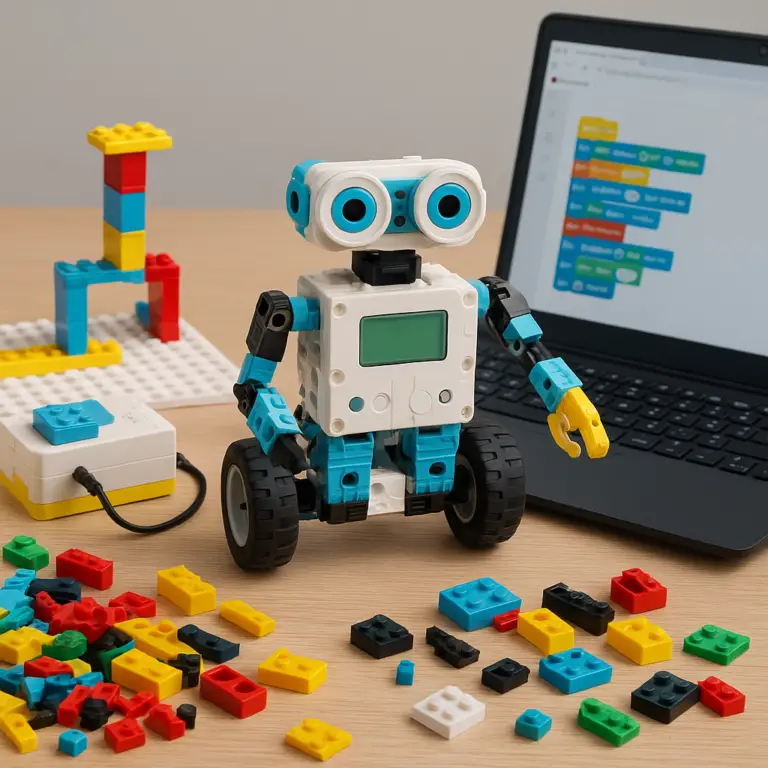
- For Mindstorms and SPIKE Prime, it’s a matter of preference. We find that younger kids often gravitate towards the tablet’s touch interface, while older kids and teens who are writing more complex code (or using Python) might prefer the larger screen and keyboard of a computer.
🛠️ Step-by-Step Guide: How to Program Your Lego Robot Using a Computer or Tablet
Ready to bring your creation to life? It’s easier than you think. Here’s our super simple starter guide:
- Choose and Build Your Robot: Pick a model from your kit’s instructions. This is the fun part! Don’t worry about getting it perfect the first time; rebuilding is part of the process. A parent on dev.solita.fi noted his kids spent “eight hours straight” in a “build-deconstruct-program” cycle with their Lego droids!
- Download the Right App: Head to the app store on your tablet or the Lego website on your computer and download the official app for your kit (Mindstorms, Boost, or SPIKE).
- Power Up and Connect: Turn on your robot’s intelligent hub. Open the app and follow the on-screen instructions to connect your device to the hub, usually via Bluetooth. It’s typically a one-click process.
- Write Your First Program: Start with the basics! Find the “move forward” block in the programming canvas. Drag it into the program area.
- Add Some Details: Click on the block to change its parameters. You can tell it how to move—for example, “move forward for 2 seconds” or “move forward for 3 rotations of the wheels.”
- Run Your Program! Hit the “play” button in the app and watch your robot obey your command. Congratulations, you’re a programmer! 🎉
- Experiment and Expand: Now, add more blocks. Make it turn. Make it play a sound. Connect a sensor and program it to stop if it sees an obstacle. The journey has just begun!
🎯 Tips and Tricks for Successful Lego Robot Programming
After building (and breaking) our fair share of robots, we’ve picked up a few tricks of the trade. Here’s some sage advice from our family to yours:
- Start Small, Win Big: Don’t try to build a battle bot on day one. Start with the guided projects in the app. Mastering the simple “move and turn” commands is the foundation for everything else.
- Embrace the “Bug”: Your program won’t work perfectly every time. That’s not failure; it’s called debugging, and it’s a core part of coding. It’s a puzzle! Why did the robot turn left instead of right? Check your code, block by block. This is where the real learning happens.
- Sensors are Superpowers: The sensors (color, distance, touch) are your robot’s eyes and ears. They are what make it “smart.” A robot that just moves forward is a remote-control car. A robot that stops before hitting a wall is a robot. Play with the sensor blocks early and often!
- Battery Life is Key: A low battery can cause all sorts of weird behavior, from connection issues to weak motors. Make sure your hub is fully charged before a big coding session to avoid frustration.
- Join the Community: There are massive online communities of Lego robot builders. If you’re stuck, chances are someone else has faced the same problem and found a solution. YouTube, Lego’s own forums, and fan sites are treasure troves of inspiration.
🚀 Taking It Further: Advanced Lego Robot Programming and Challenges
Once you’ve mastered the basics, you’ll start wondering, “What else can this thing do?” Oh, you have no idea.
- Build a Maze Solver: Program your robot to use its distance or touch sensor to navigate a maze made of books or Lego bricks.
- Create a Line-Follower: Use the color sensor to program your robot to follow a black line on a white piece of poster board. This is a classic robotics challenge!
- Design a Robotic Arm: Use multiple motors to build a claw that can pick up and move objects.
- Enter a Competition: For the ultimate challenge, look into robotics competitions like the FIRST LEGO League. It’s an incredible program where teams of kids build and program autonomous robots to solve real-world problems. It’s like a sport for the mind!
👨👩👧👦 Family Fun: How Kids and Parents Can Collaborate on Lego Robotics
Let’s be honest: these kits are just as much fun for us parents as they are for the kids. Lego robotics is an amazing opportunity for family bonding. Instead of just watching your child play, you can become their co-pilot, their lead engineer, or their project manager.
Here at Toy Brands™, our favorite approach is the “Kid in Charge” method. Let your child be the project leader. You’re their assistant. They come up with the idea (“Let’s build a robot that can feed the dog!”), and you help them think through the steps. It’s a fantastic way to empower them while offering support. For more ideas on collaborative play, check out our Parenting Tips and Advice.
This process teaches collaboration, communication, and compromise. And trust us, celebrating together when your crazy contraption finally works is a parenting moment you won’t forget.
📚 Recommended Resources and Communities for Lego Robot Programmers
You’re not alone on this journey! The Lego robotics community is vast and incredibly helpful. Here are some of our go-to spots for inspiration and troubleshooting:
- Lego Education Website: The official source for lesson plans, tutorials, and software downloads for SPIKE and Mindstorms.
- The LEGO MINDSTORMS EV3 Facebook Group: A great place to see what other people are building and ask questions.
- YouTube: Just search for your kit’s name (e.g., “Lego Boost projects”) and prepare to be amazed. Channels like Brick Experiment Channel and Sariel’s Bricks & Pets showcase mind-blowing creations.
- FIRST LEGO League: As mentioned, if your child gets serious about robotics, this is the place to be. It’s an amazing community and a fantastic learning experience.
✅ Conclusion: Can You Program Your Own Lego Robot Using a Computer or Tablet?
After our deep dive with the kids and parents at Toy Brands™, the verdict is crystal clear: Yes, you can absolutely program your own Lego robot using a computer or tablet! Whether you’re a beginner or a budding robotics whiz, there’s a Lego kit and programming environment tailored just for you.
Here’s a quick recap of the stars of the show:
- Lego Mindstorms Robot Inventor is the powerhouse for older kids and teens who want to explore advanced programming, including Python. It offers incredible flexibility and a robust build platform but requires some patience to master.
- Lego Boost Creative Toolbox is perfect for younger kids (7+) and beginners. Its tablet app is intuitive and fun, making coding feel like play.
- Lego Education SPIKE Prime bridges the gap with classroom-grade hardware and software that’s equally at home in your living room, supporting both block-based and text-based coding.
Positives:
- Intuitive, kid-friendly programming apps (Scratch-based and Python options)
- Wide device compatibility (Windows, Mac, iOS, Android, Chromebooks)
- Rich ecosystems with sensors, motors, and building instructions
- Strong educational value promoting STEM skills
- Active communities and resources for support and inspiration
Negatives:
- Some kits require specific devices (e.g., Boost needs a tablet)
- Mindstorms can be complex for younger kids without adult help
- Battery life and connectivity issues can occasionally frustrate beginners
For families eager to jump into the world of programmable Lego robots, we confidently recommend starting with Lego Boost if you have younger kids, and moving up to Mindstorms or SPIKE Prime as skills grow. The journey from building to coding to creating autonomous robots is not just fun — it’s a fantastic way to nurture creativity, logical thinking, and collaboration.
Remember that every great coder started somewhere, often with a simple “move forward” block and a curious mind. So, grab your bricks, fire up your device, and let the robotic adventure begin! 🚀
🔗 Recommended Links for Lego Robotics Enthusiasts
-
Lego Mindstorms Robot Inventor (51515):
Amazon | Walmart | Lego Official Website -
Lego Boost Creative Toolbox (17101):
Amazon | Walmart | Lego Official Website -
Lego Education SPIKE Prime:
Amazon | Lego Official Website -
Recommended Books on Lego Robotics and Coding:
❓ FAQ: Your Burning Questions About Lego Robot Programming Answered
What are some popular Lego robot kits designed for programming and robotics education, and what are their features?
The most popular kits include:
- Lego Mindstorms Robot Inventor: Advanced kit with a programmable hub, multiple sensors, and motors. Supports Scratch and Python programming. Ideal for ages 10+.
- Lego Boost Creative Toolbox: Beginner-friendly, tablet-based app, perfect for kids 7+. Focuses on simple drag-and-drop coding.
- Lego Education SPIKE Prime: Classroom-grade kit with powerful hardware and versatile software supporting block and Python coding. Suitable for ages 10+.
Each kit offers different levels of complexity, building experience, and programming options to suit various ages and skill levels.
Are there any age restrictions or recommendations for programming Lego robots, and what skills are required?
Yes! Age recommendations are generally:
- Lego Boost: Ages 7+ — no prior coding experience needed; designed for beginners.
- Lego SPIKE Prime: Ages 10+ — suitable for beginners but also supports advanced programming.
- Lego Mindstorms: Ages 10+ — recommended for kids comfortable with logical thinking; some adult guidance may be helpful.
Basic skills include patience, problem-solving, and the ability to follow instructions. Coding is introduced visually, so reading skills are helpful but not mandatory at the start.
What are the system requirements for programming Lego robots, such as operating system and processor speed?
System requirements vary by kit and software:
- Lego Boost app: Requires iOS 11.0+ or Android 6.0+ tablets or smartphones.
- Mindstorms Robot Inventor app: Compatible with Windows 10+, macOS 10.14+, iOS 13+, Android 6.0+, and Chromebooks.
- SPIKE Prime app: Supports Windows 10+, macOS 10.14+, iOS 13+, Android 6.0+, and Chromebooks.
Processor speed and RAM requirements are modest; most modern devices can run the apps smoothly. Bluetooth 4.0 or higher is needed for wireless connection.
Can I use a tablet or smartphone to program and control my Lego robot, or is a computer required?
You can use both! Tablets and smartphones are often preferred for their touch interfaces and portability, especially for kits like Lego Boost, which requires a tablet. Computers offer larger screens and keyboards, which can be helpful for advanced programming in Mindstorms and SPIKE Prime.
Are there any free or paid software options available for programming Lego robots, and what are their features?
Most official Lego apps are free to download and use, including:
- Lego Boost app: Free, tablet-only, drag-and-drop coding.
- Mindstorms Robot Inventor app: Free, supports Scratch and Python.
- SPIKE Prime app: Free, supports block and Python programming.
There are also third-party tools like Microsoft MakeCode and Open Roberta, which support some Lego robotics kits and offer additional programming languages.
How do I connect my Lego robot to a computer or tablet for programming and control?
Most Lego robots connect via Bluetooth. The process usually involves:
- Turning on the robot’s hub.
- Opening the programming app on your device.
- Selecting the robot from the Bluetooth device list in the app.
- Pairing and confirming the connection.
Some older kits or alternative robots (like Edison) may use USB cables or screen flashing methods.
What programming languages are used to code Lego robots, and are they suitable for beginners?
- Scratch-based block programming: The primary language for beginners; intuitive and visual.
- Python: Supported by Mindstorms and SPIKE Prime for advanced users; text-based but beginner-friendly with practice.
- JavaScript and others: Available through third-party tools for advanced programmers.
These languages are designed to be accessible, with Scratch especially great for kids new to coding.
What software do I need to program a Lego robot on my computer?
Download the official apps:
- Mindstorms Robot Inventor app from Lego’s website or app stores.
- SPIKE Prime app from Lego Education’s site.
- For older EV3 kits, the EV3 Classroom or EV3 Lab software.
All are free and compatible with Windows and macOS.
Can I use a tablet to control and program Lego Mindstorms robots?
Yes! The Mindstorms Robot Inventor app supports tablets (iOS and Android), allowing full programming and control through a touch interface.
Are there beginner-friendly programming apps for Lego robotics?
Absolutely. Lego Boost and the Scratch-based interfaces in Mindstorms and SPIKE Prime are designed for beginners, featuring drag-and-drop blocks, tutorials, and fun challenges.
Can kids learn coding by programming Lego robots on a tablet?
Definitely! The visual programming environments make coding tangible and fun. Kids learn sequencing, logic, and problem-solving naturally as they build and program their robots.
Is it possible to program Lego robots without prior coding experience?
Yes! The apps are designed for absolute beginners. Many kids start with no coding knowledge and quickly become confident programmers through hands-on play.
Which Lego robot kits are compatible with computer and tablet programming?
- Lego Boost: Tablet only.
- Lego Mindstorms Robot Inventor: Computer and tablet.
- Lego SPIKE Prime: Computer and tablet.
📖 Reference Links and Further Reading
- Lego Mindstorms Official Site
- Lego Boost Official Site
- Lego Education SPIKE Prime
- Edison Robot Programming FAQ
- FIRST LEGO League
- Coding with kids – /dev/solita
- Scratch Programming Language
- Open Roberta Lab
- Microsoft MakeCode
Ready to build your first robot? Dive into the world of programmable Lego robotics and watch your imagination take flight! 🚀